Step 1: Open Match SettingsIf a player retires after the match has started, navigate to the match and elect the Settings icon located in the top-right corner of the match screen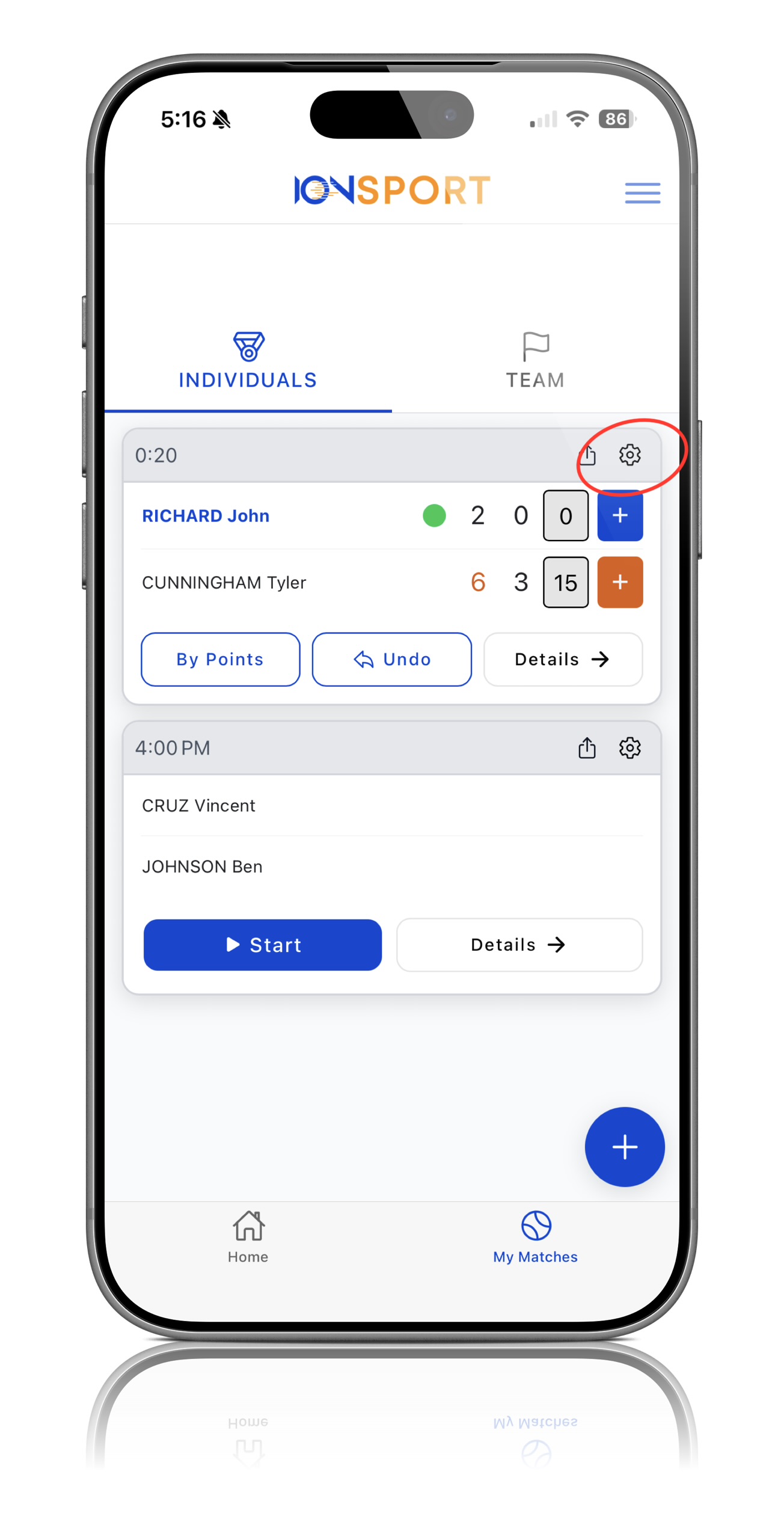
Step 1: Open Match SettingsIf a player retires after the match has started, navigate to the match and elect the Settings icon located in the top-right corner of the match screen
Step 2: Locate the Stop Match Option
Within the settings menu, scroll down until you find the Stop Match option
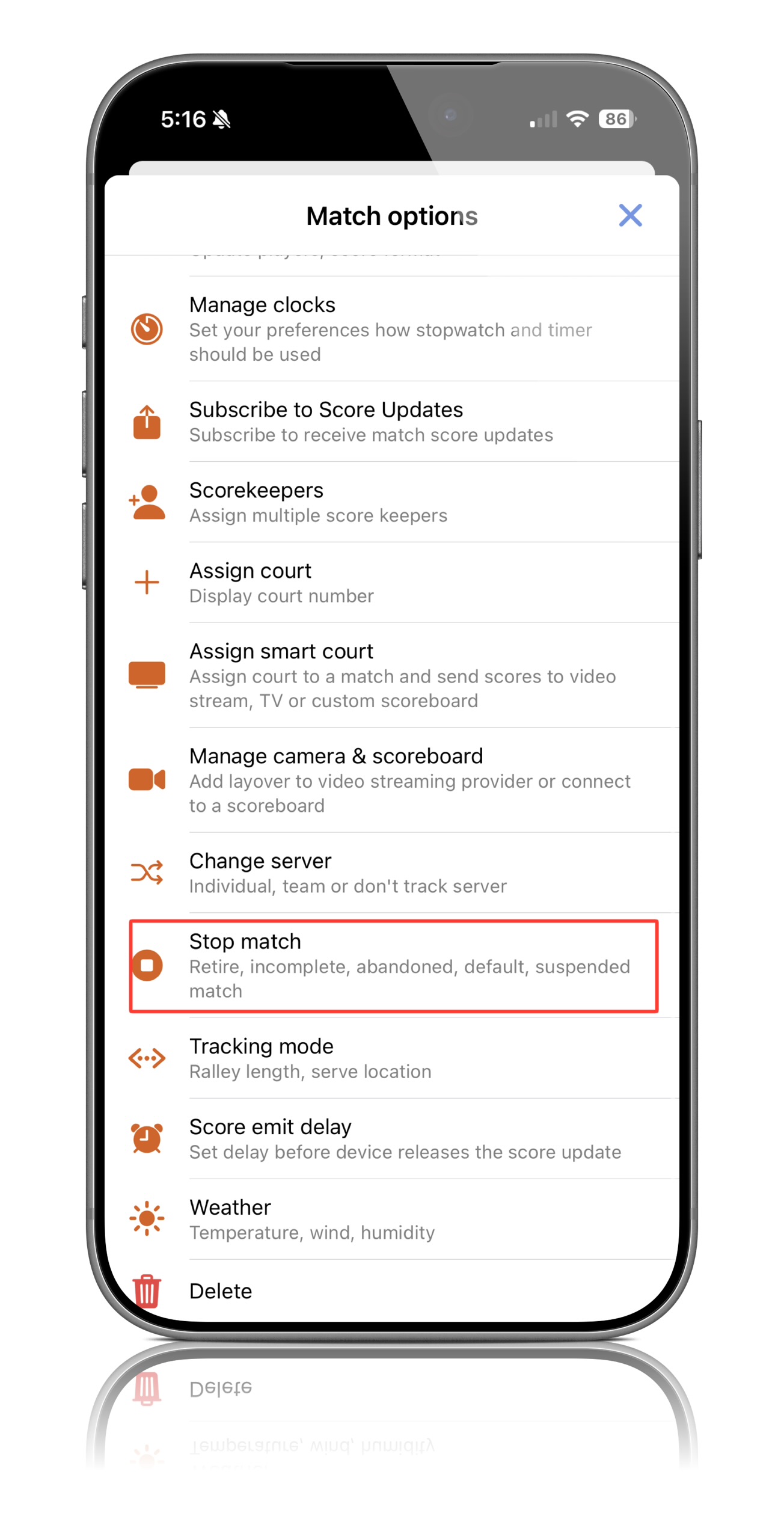
Step 3: Select Stop Match
Click Stop Match to open the available match-ending options
Step 4: Choose Retire
From the available options, select Retire to indicate that a player has retired from the match
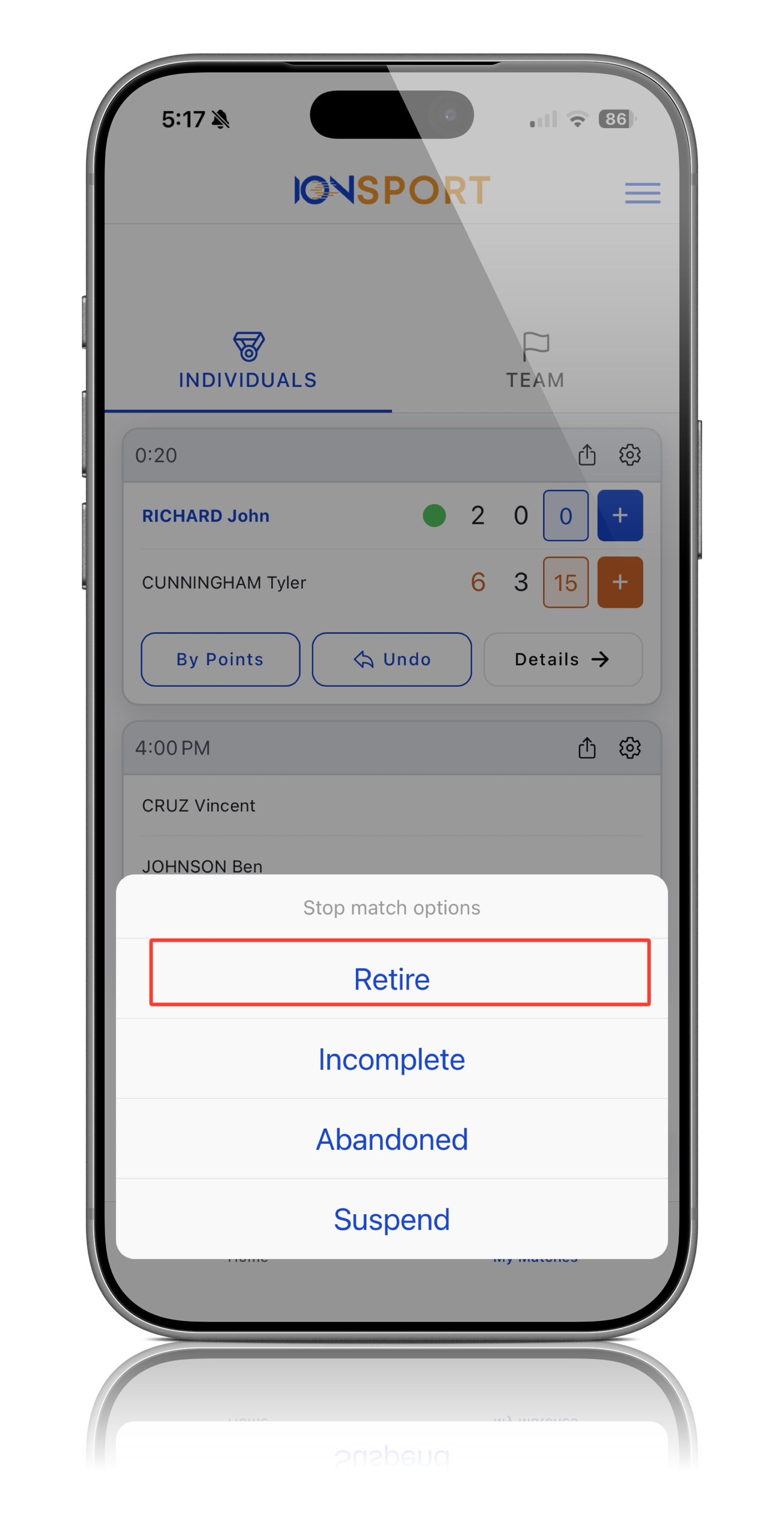
Step 5: Confirm the Retirement
Confirm the retirement selection to officially end the match and record the result
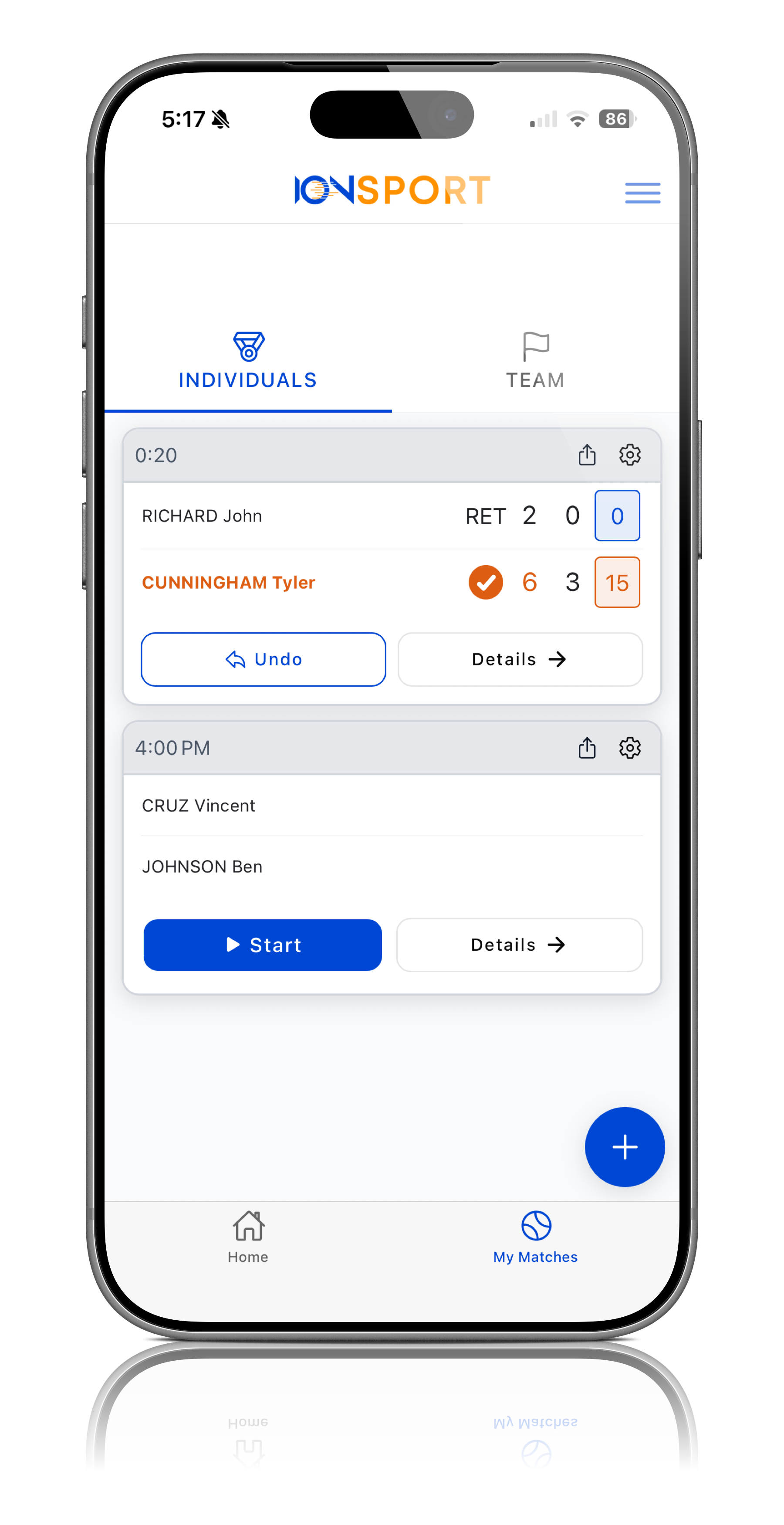
Note: The Retire option should only be used when a player is unable to continue play after the match has officially started.
Was this article helpful?
That’s Great!
Thank you for your feedback
Sorry! We couldn't be helpful
Thank you for your feedback
Feedback sent
We appreciate your effort and will try to fix the article