IONSport has a feature called "Apply Lineup", designed to avoid manual lineup input for every match. You can set your line up in your team page.
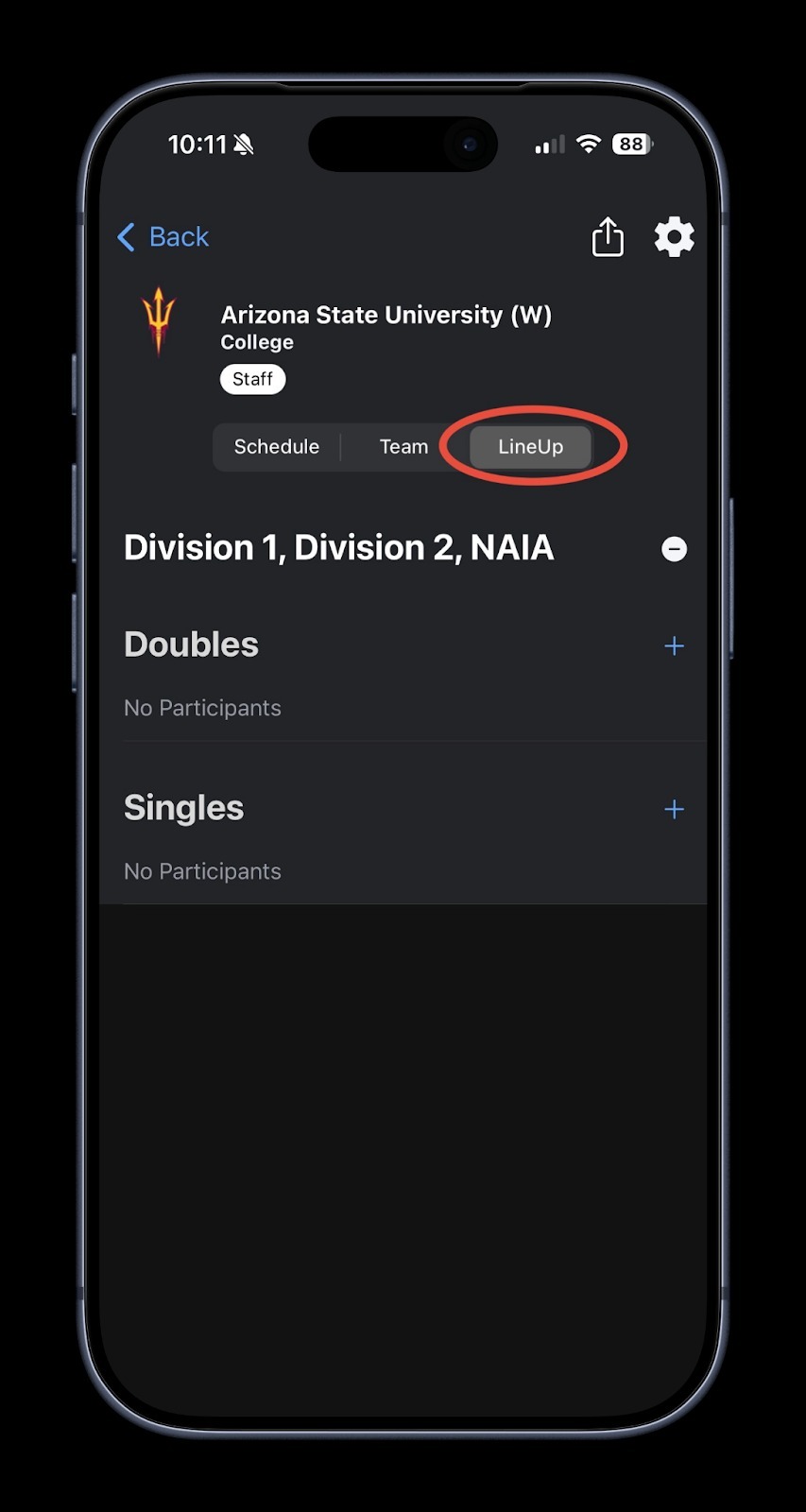
1. Go to the "Lineup" tab
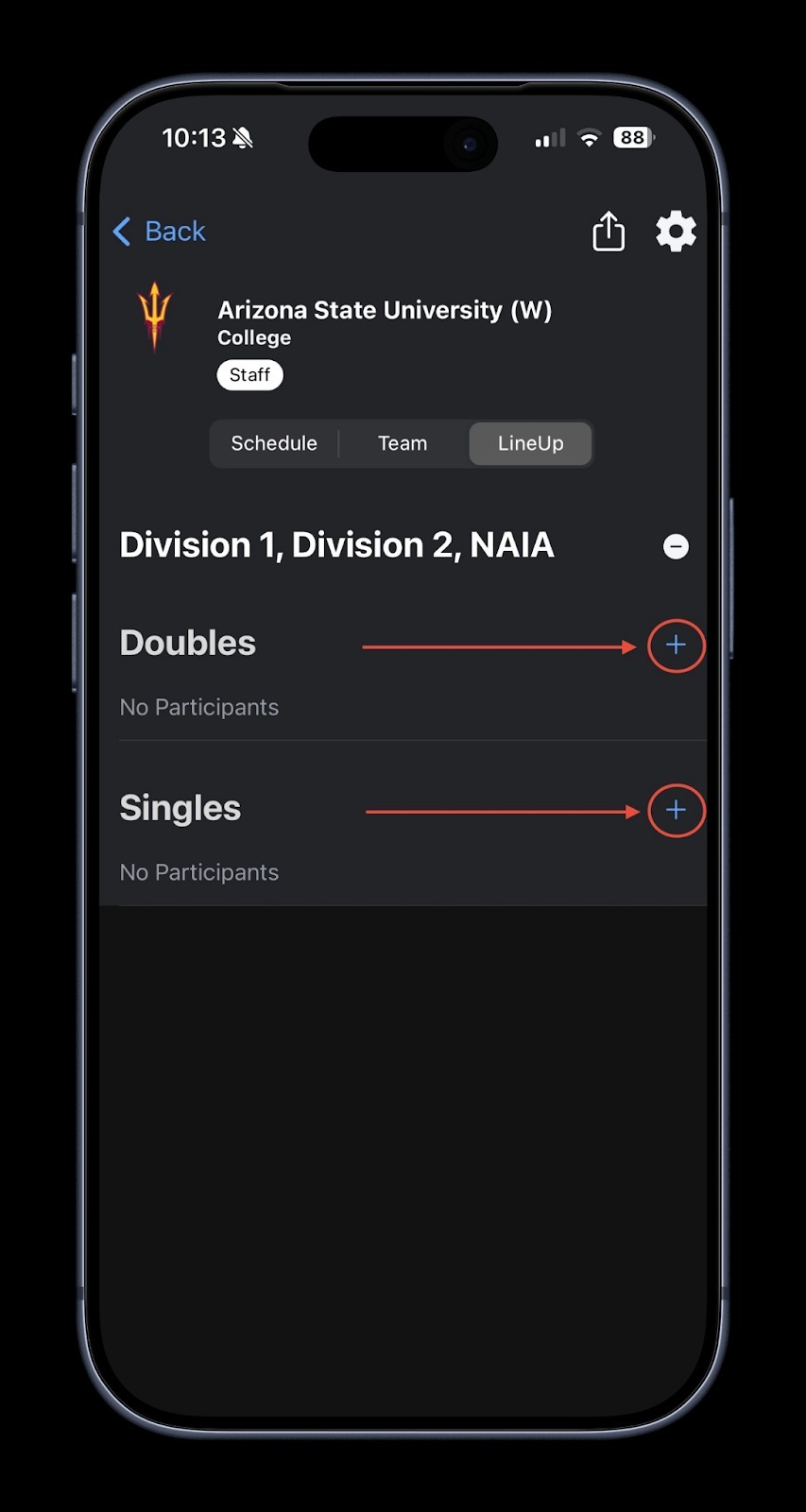
Use the "+" button on the right side of the screen to set your line up.
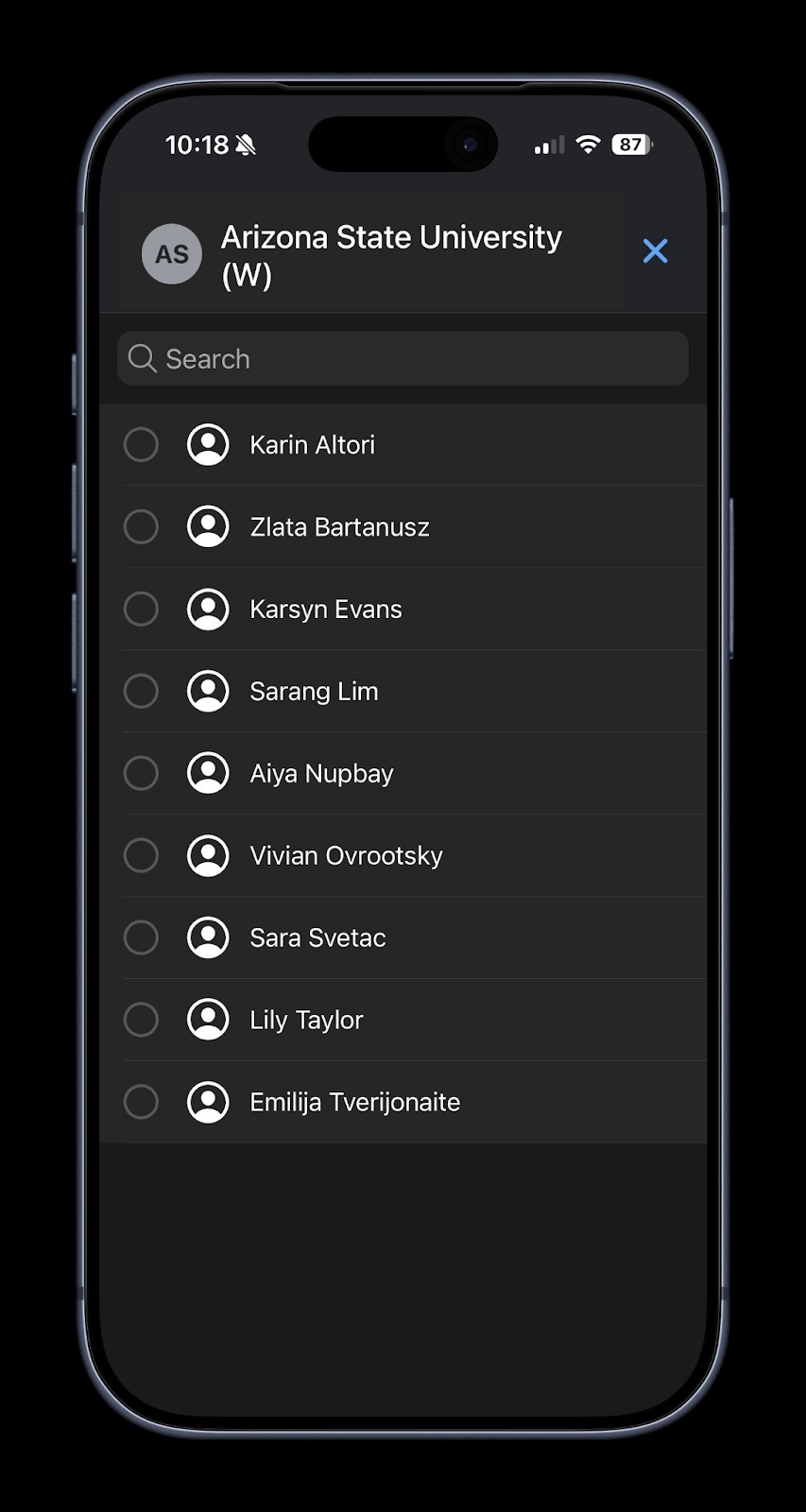
2. Add players to “Doubles” and “Singles”
Use the  “☰” icon on the left side to drag and drop players positions in the line-up
Use the ?️ button on the right side to remove player from the line up
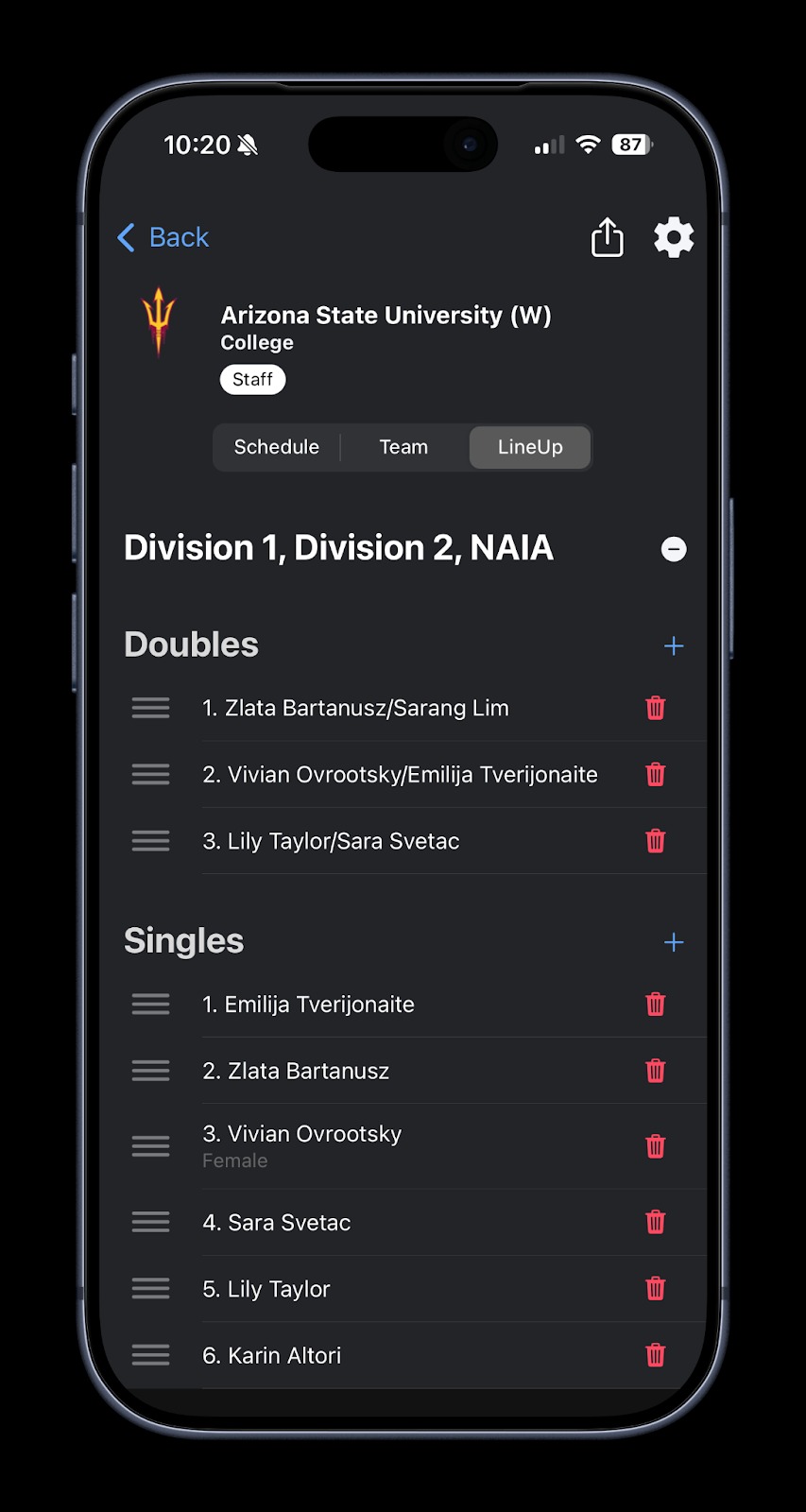
You have successfully set-up the line-up.
On the match day:
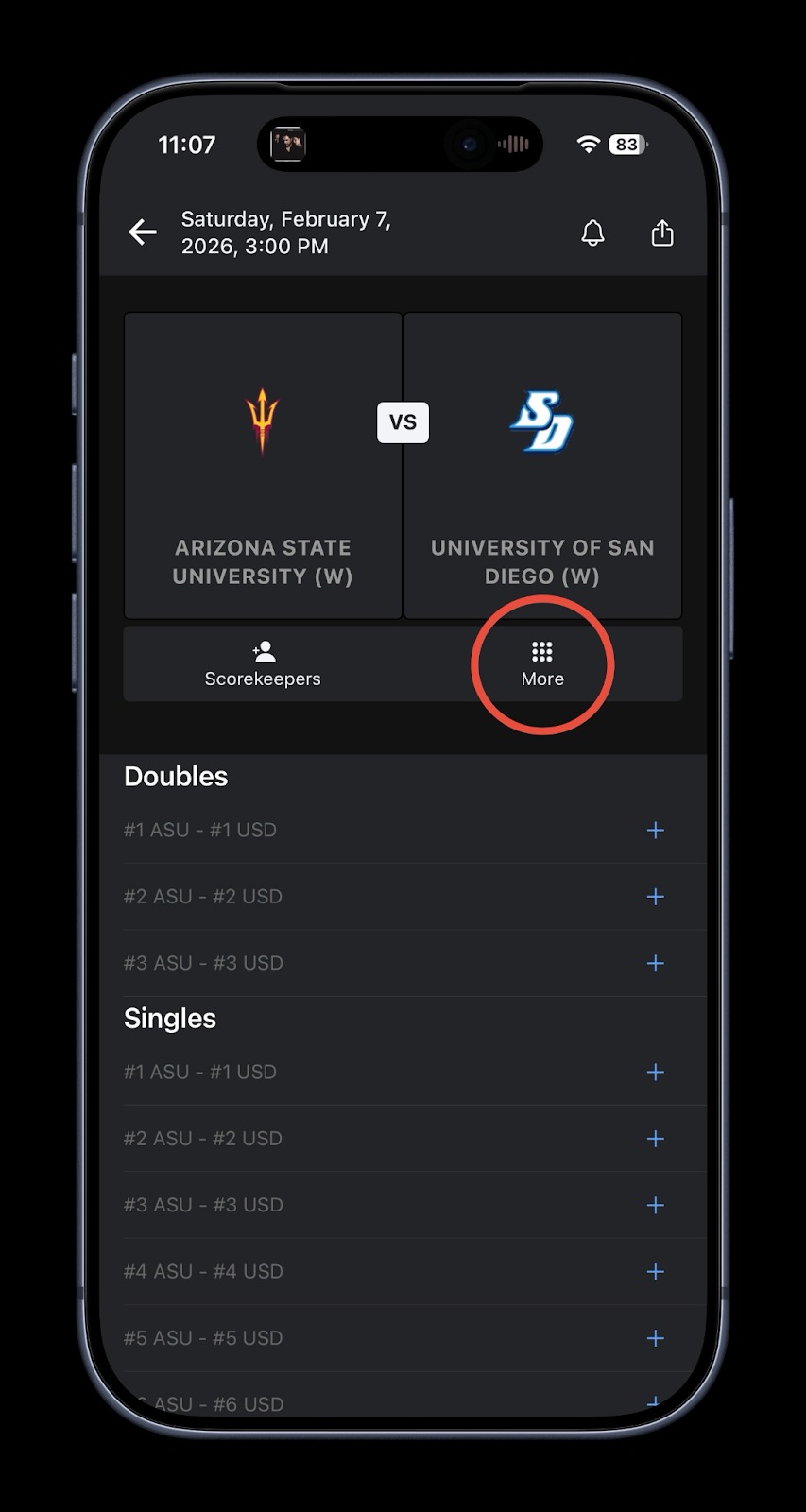
- Click on the match and click “More” icon
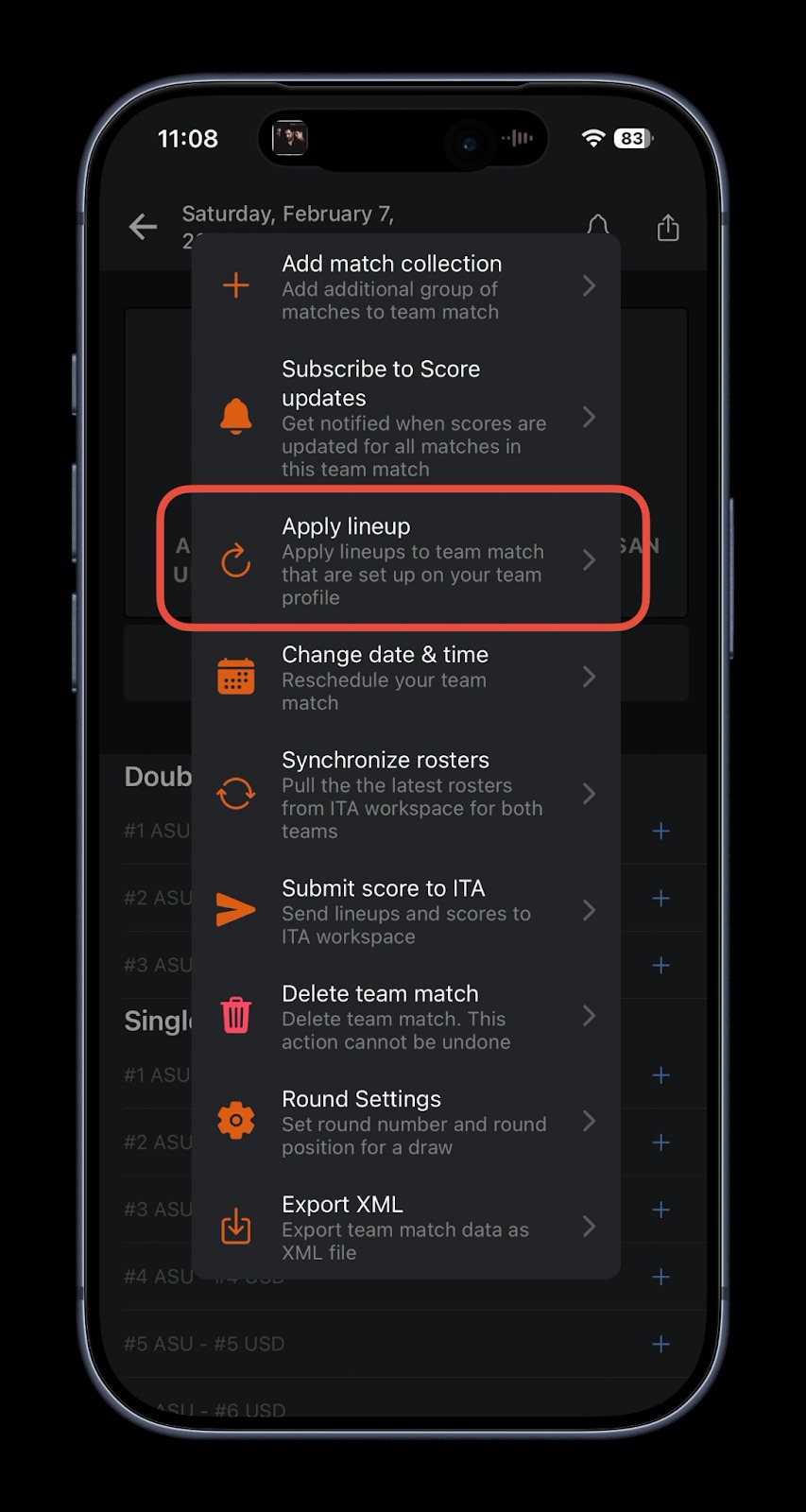
- Click “Apply line-up” to apply your line-up from the team profile
Was this article helpful?
That’s Great!
Thank you for your feedback
Sorry! We couldn't be helpful
Thank you for your feedback
Feedback sent
We appreciate your effort and will try to fix the article