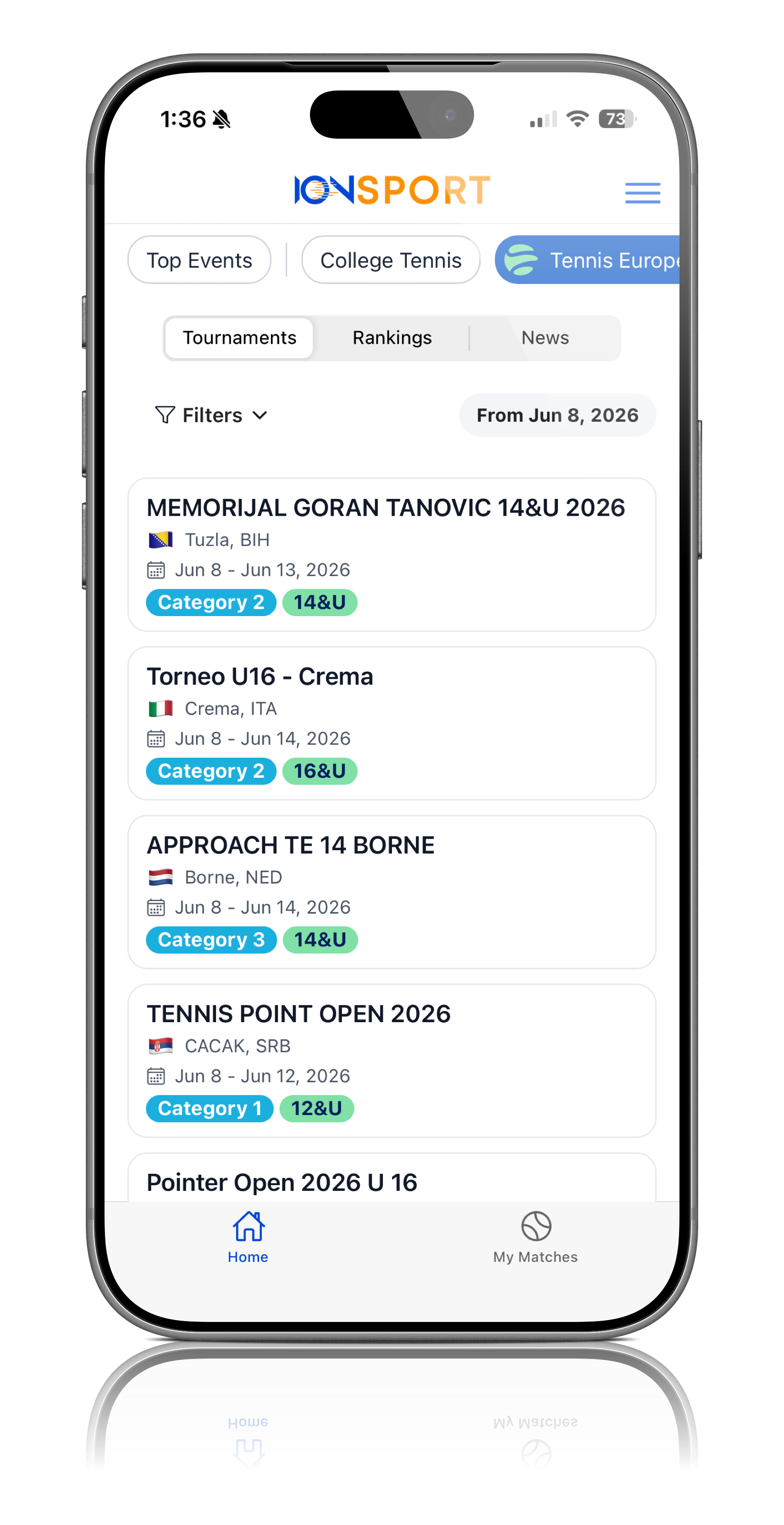
Step 1: Open Your Tournament
Navigate to the tournament for which you would like to add officials
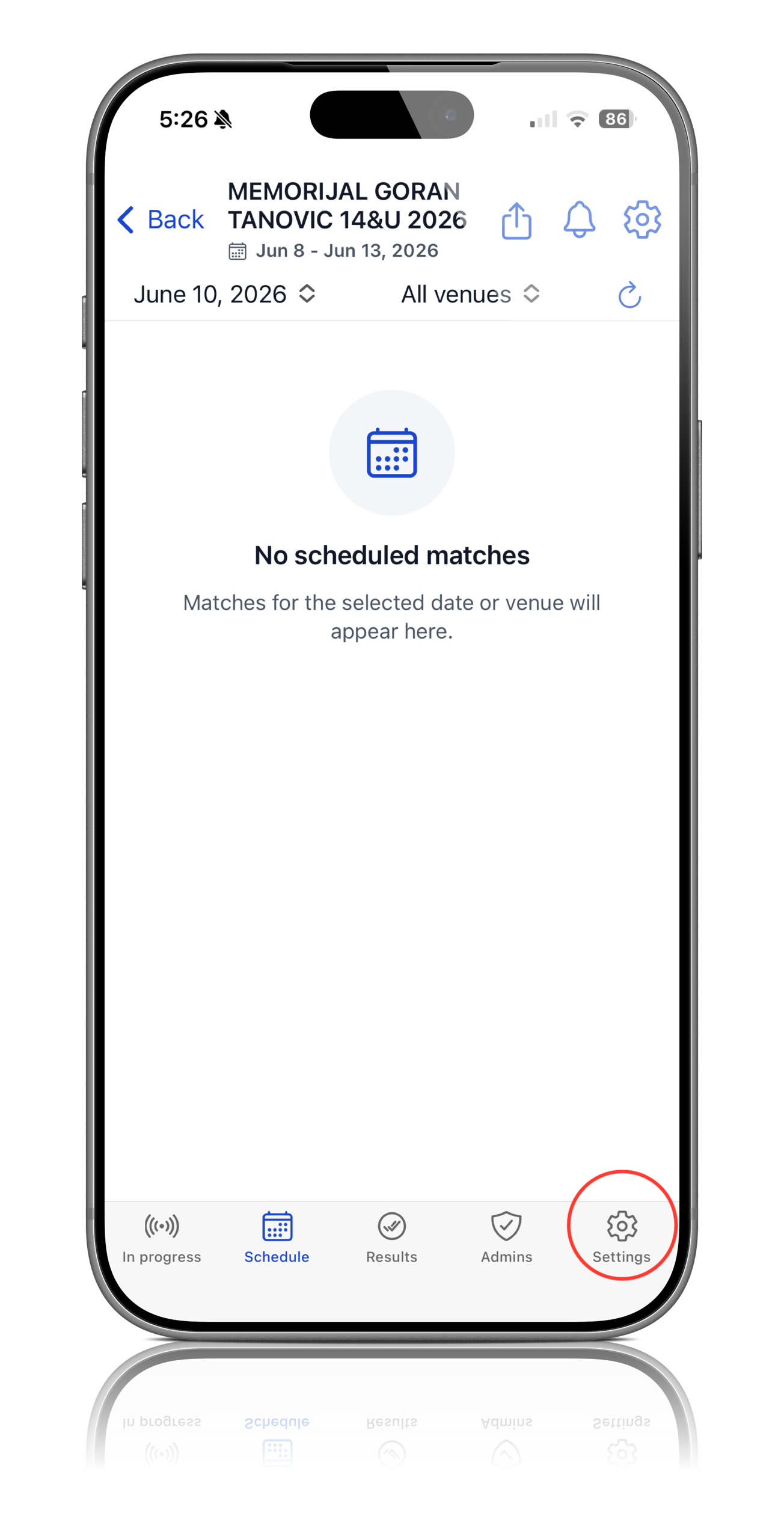
Step 2: Open Tournament Settings
Select the Settings icon located in the bottom-right corner of the tournament page
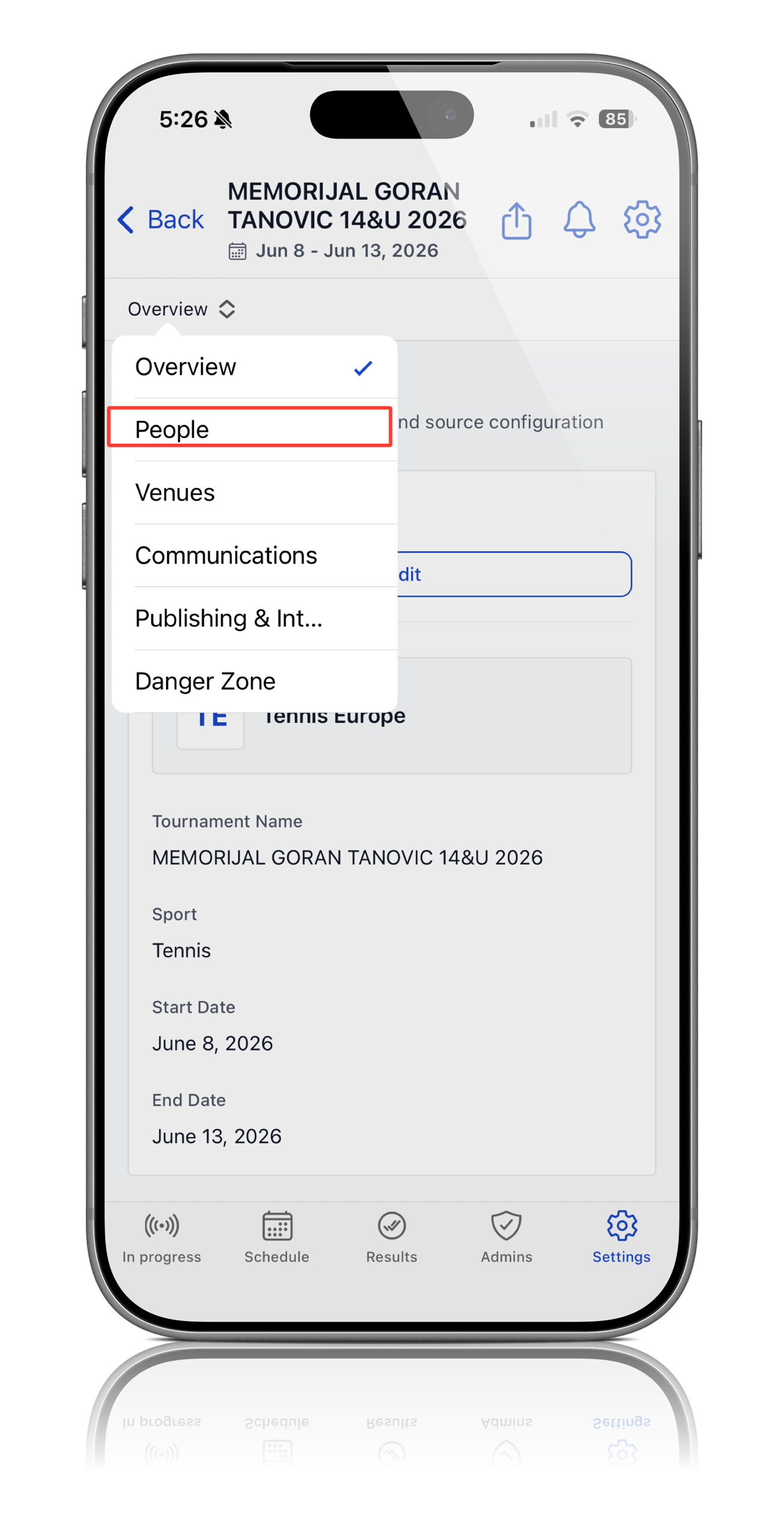
Step 3: Access the People Section
From the settings page, locate the dropdown menu in the top-left corner and select People
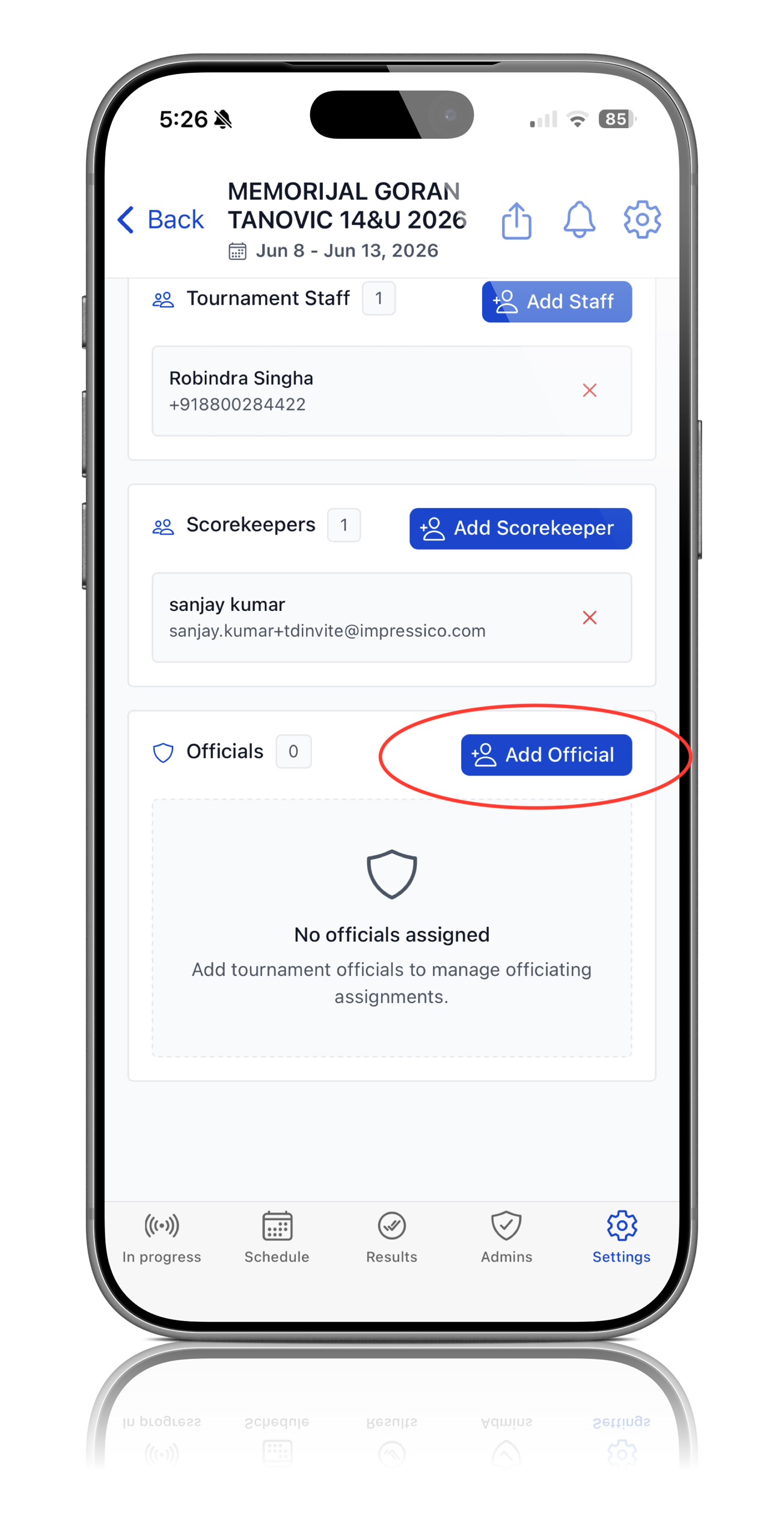
Step 4: Add an Official
Scroll to the bottom of the People page and select Add Official
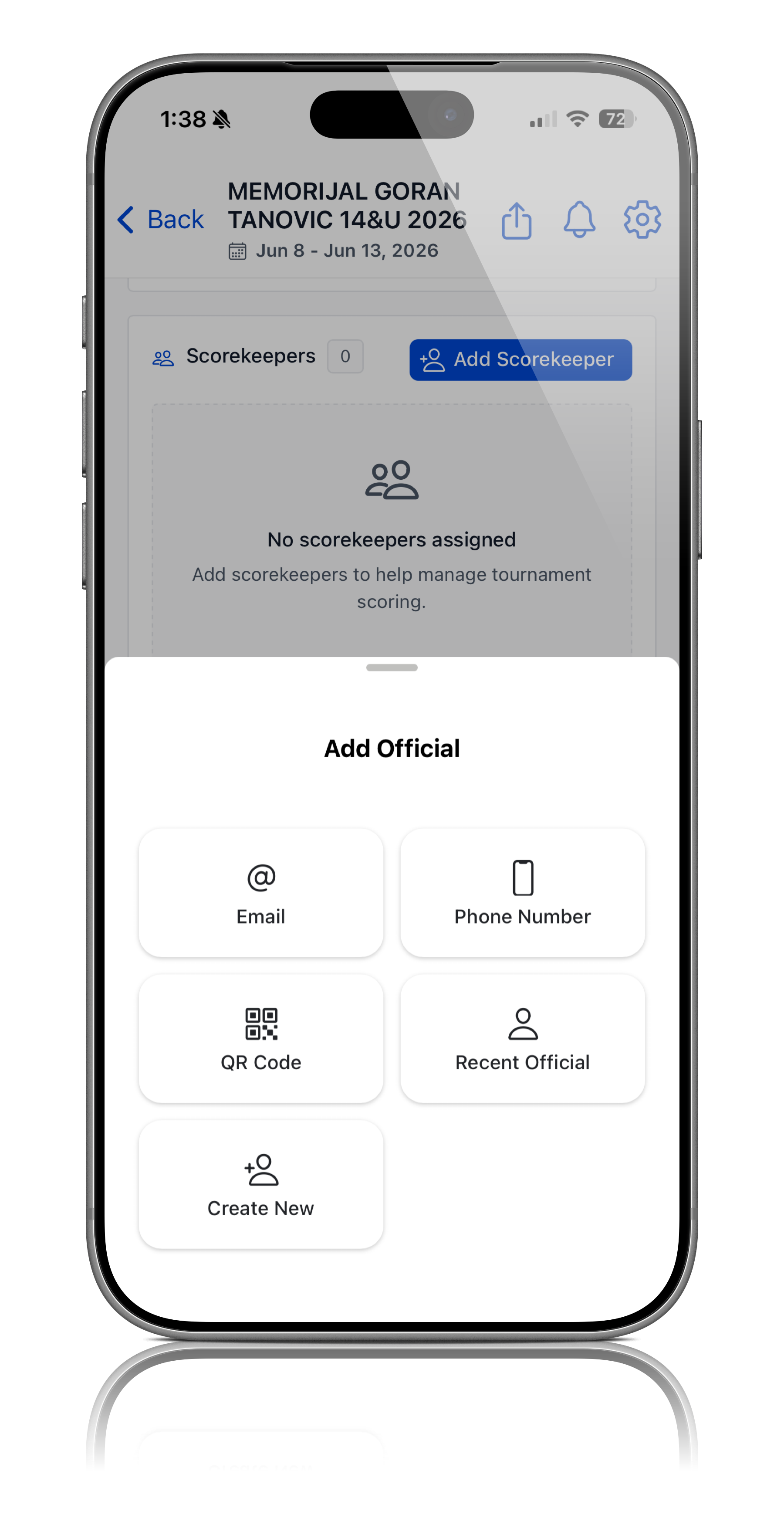
Step 5: Choose an Invitation Method
You can invite an official using one of the following methods:
- Email
- Text Messages
- QR code
Select the method that best fits your tournament operations
Step 6: Send the Invitation
Enter the required information and send the invitation to the official
Step 7: Verify the Official Has Been Added
Once the invitation has been accepted, the official will appear in the tournament's list of officials and will be available for assignment to the matches
Step 8: Assign Officials to Matches
After officials have been added to the tournament, they can be assigned to individual matches by following the "How to Assign an Official to a Match" Guide
Note: Officials must first be added to the tournament before they can be assigned to specific matches. Once added, they will appear in the official selection list when assigning officials to courts and matches.
Was this article helpful?
That’s Great!
Thank you for your feedback
Sorry! We couldn't be helpful
Thank you for your feedback
Feedback sent
We appreciate your effort and will try to fix the article