Step 1: Identify the Mistake
If an incorrect score, game, or match action is entered while operating as a Chair Official or Roaming Official, the correction process is the same
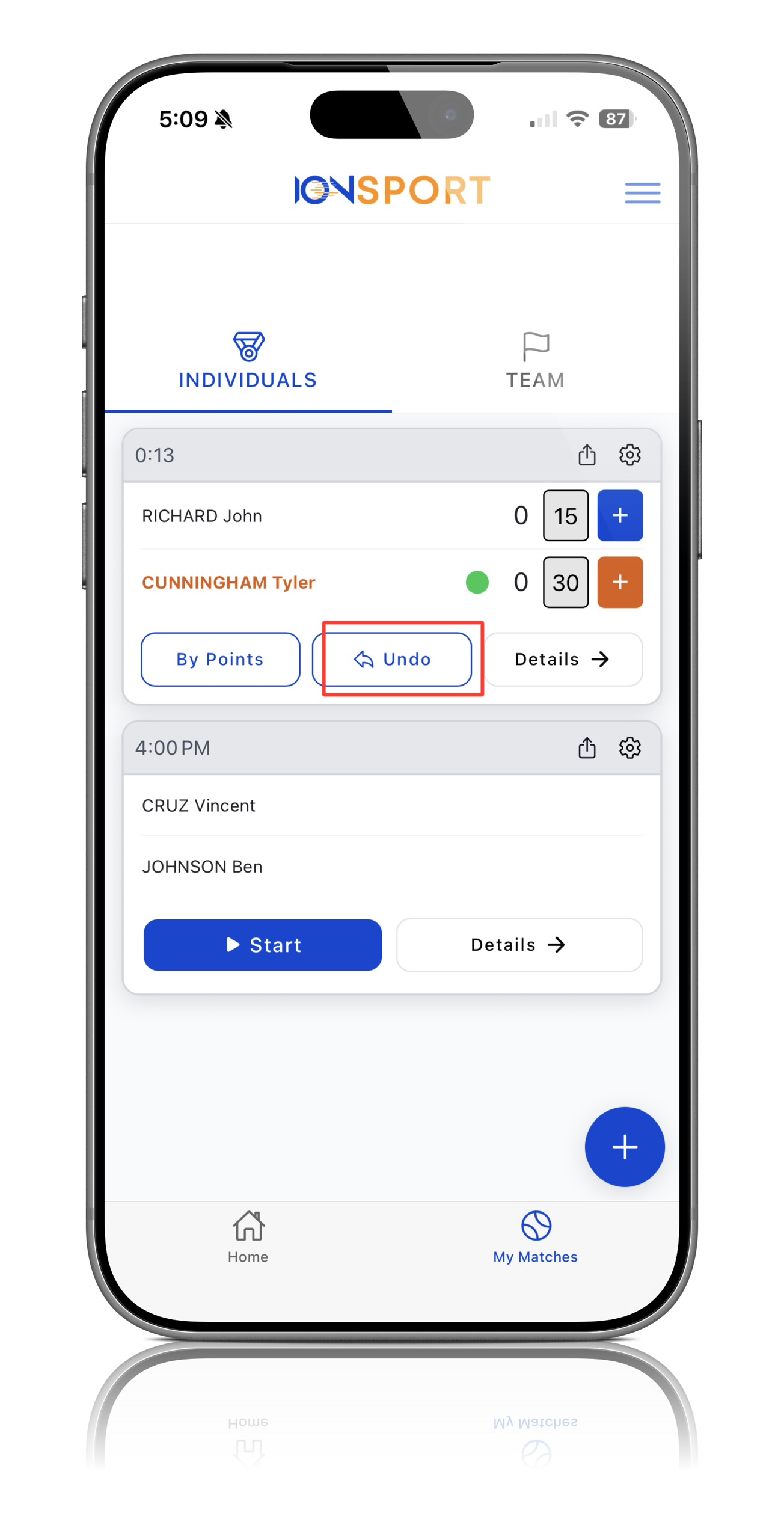
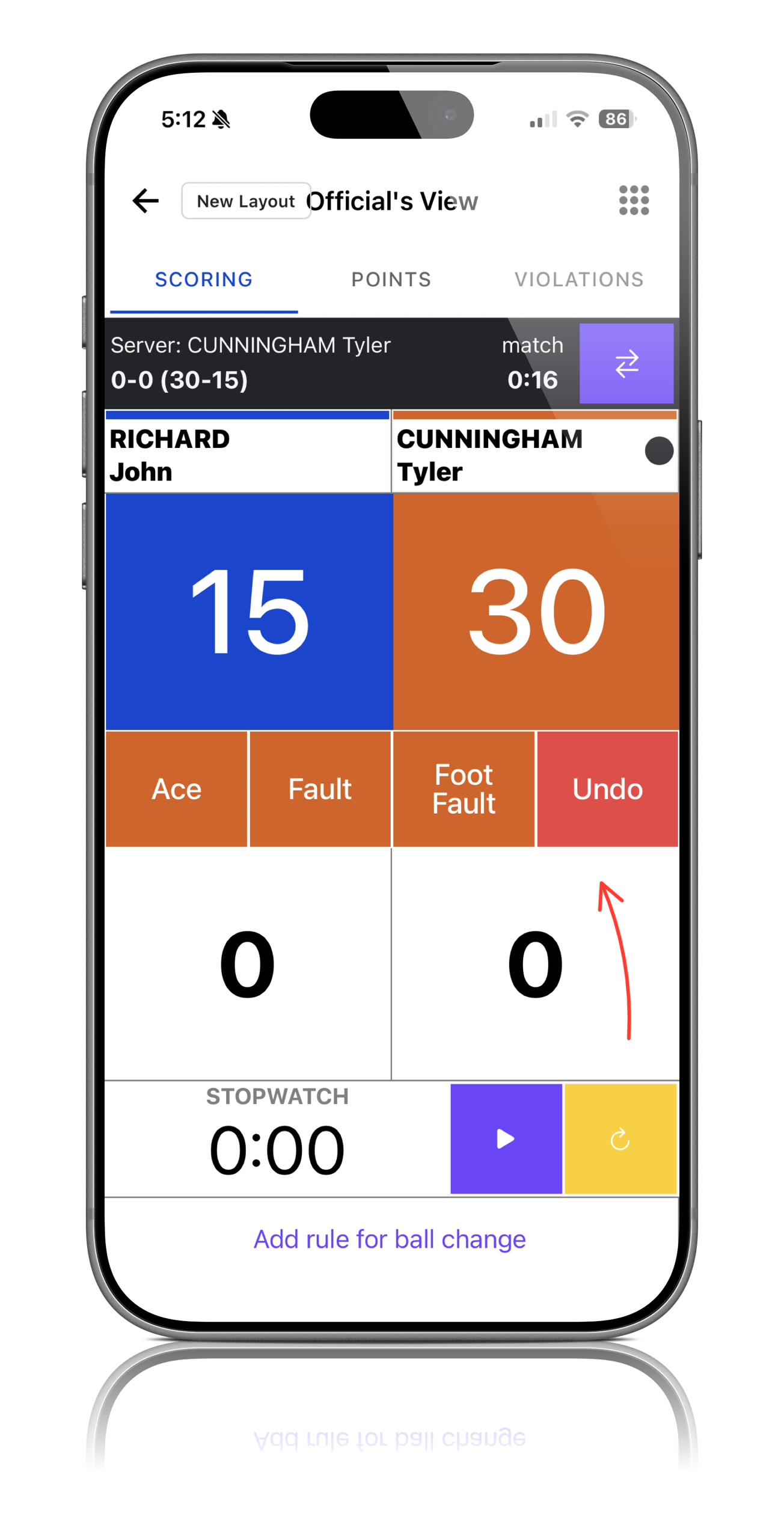
Step 2: Locate the Undo Button
On the scoring screen, locate the Undo button
 |  |
Step 3: Select Undo
Press the Undo button to reverse the most recent action entered into the match
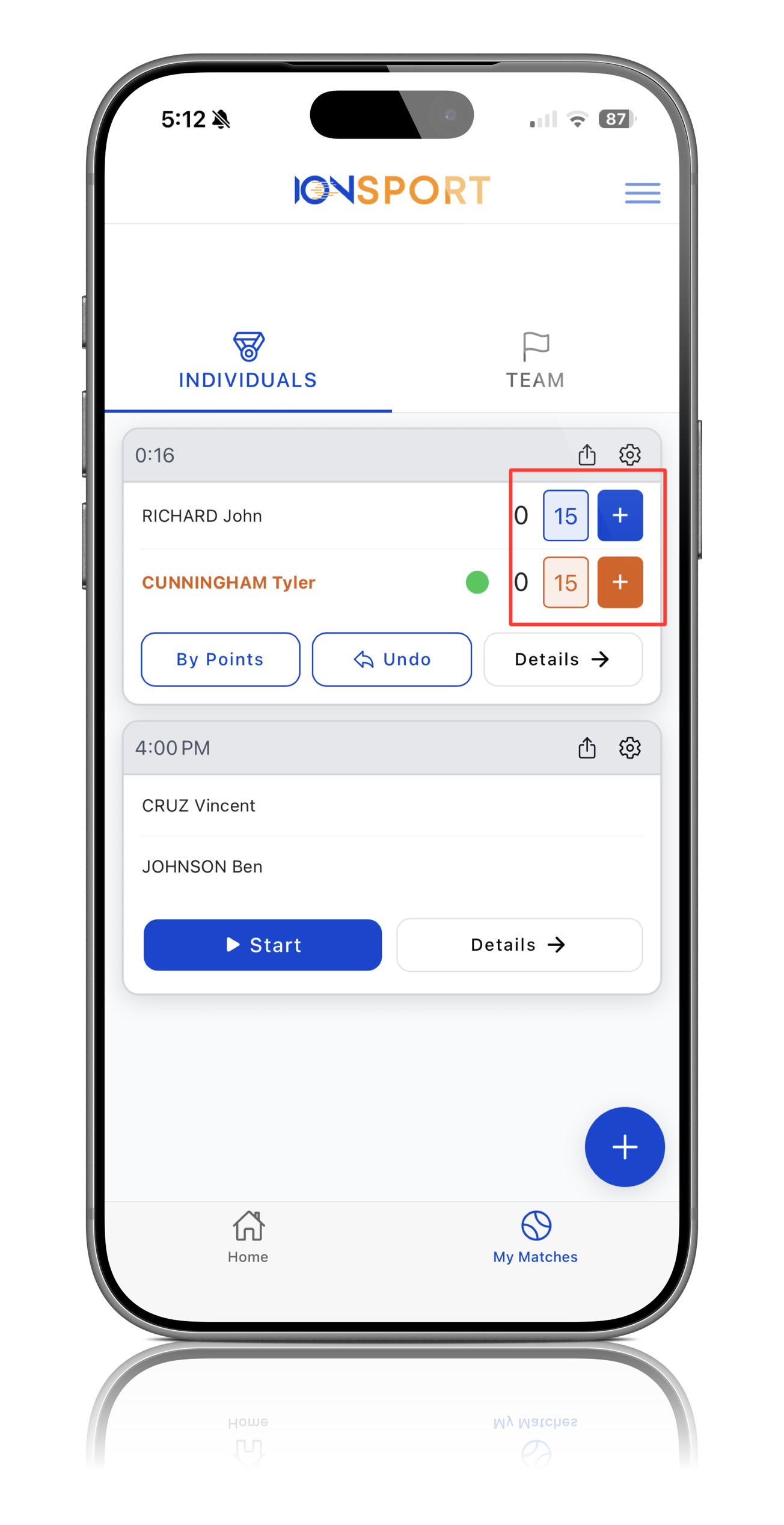
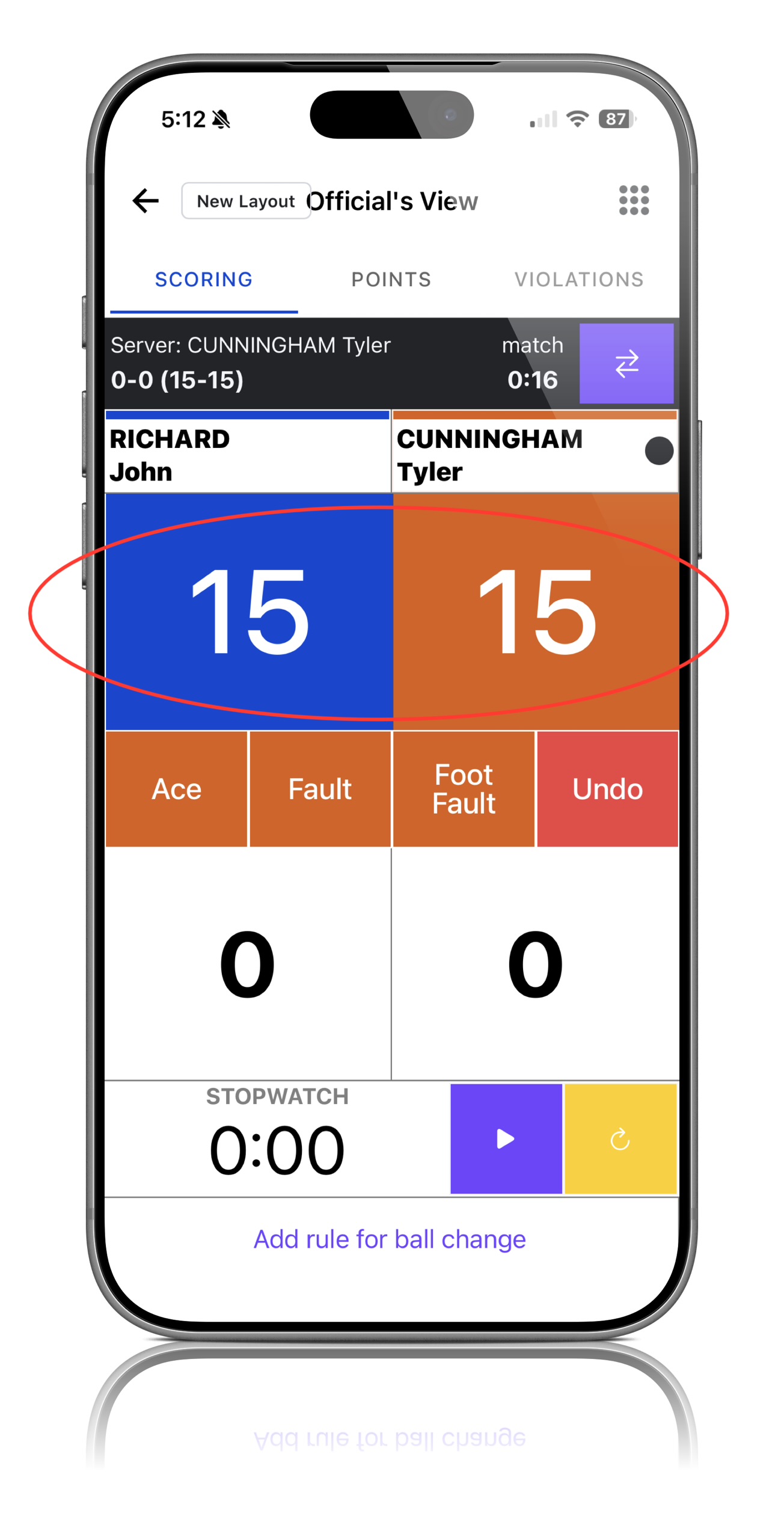
Step 4: Verify the Correction
Confirm that the score, game, or match information has been updated correctly after the action has been undone
 |  |
Step 5: Continue Scoring
Once the correction has been made, continue scoring the match as normal
Note: The Undo function works the same way for both Chair Officials and Roaming Officials, allowing the most recent action to be quickly corrected if entered incorrectly.
Was this article helpful?
That’s Great!
Thank you for your feedback
Sorry! We couldn't be helpful
Thank you for your feedback
Feedback sent
We appreciate your effort and will try to fix the article