Follow the steps below to add a scorekeeper to your tournament.
Step 1: Open Your Tournament
Log into IONSport → Select the tournament you would like to manage
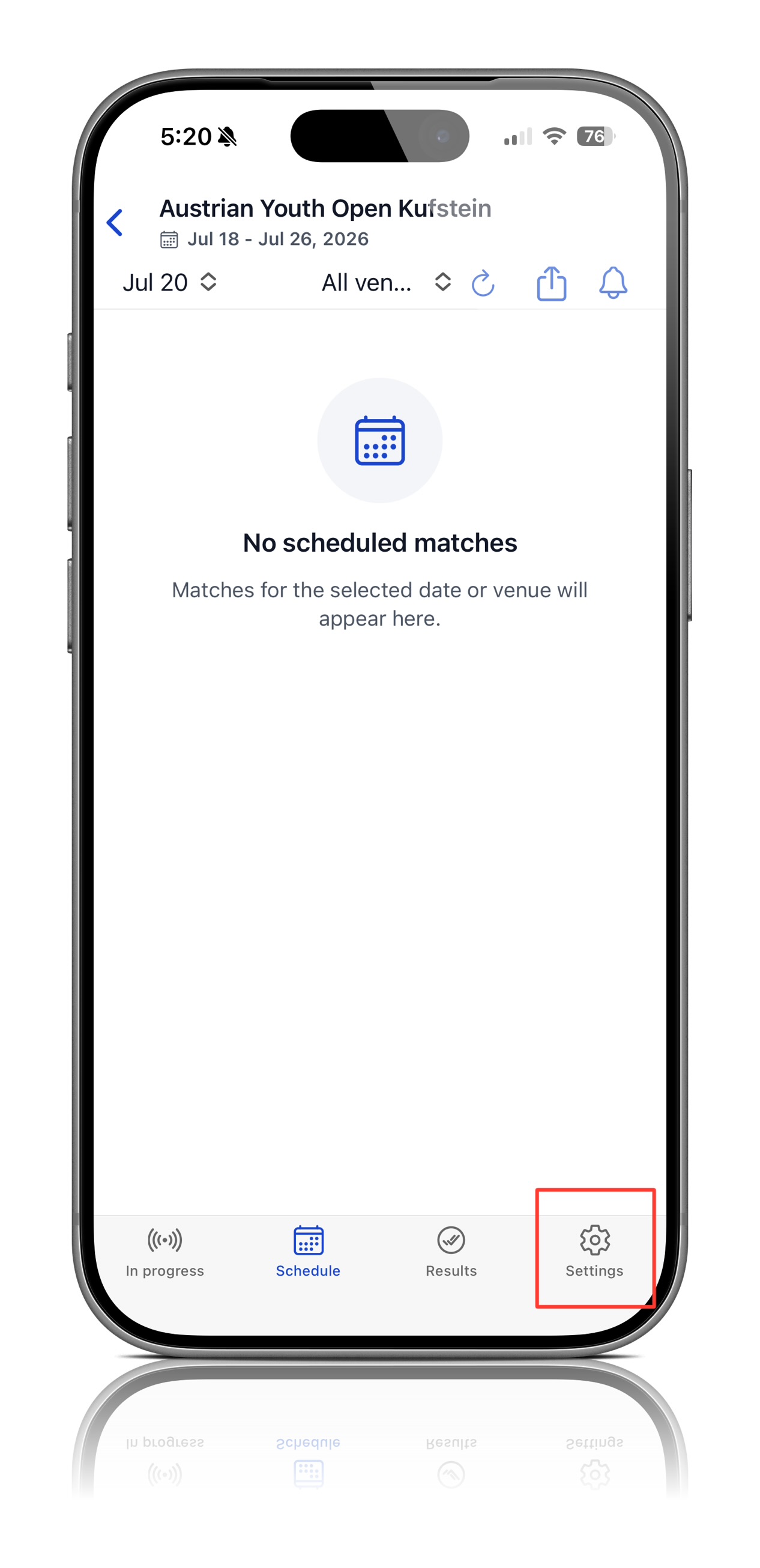
Step 2: Open Tournament Settings
Once inside your tournament → Click Settings in the bottom right corner of your screen
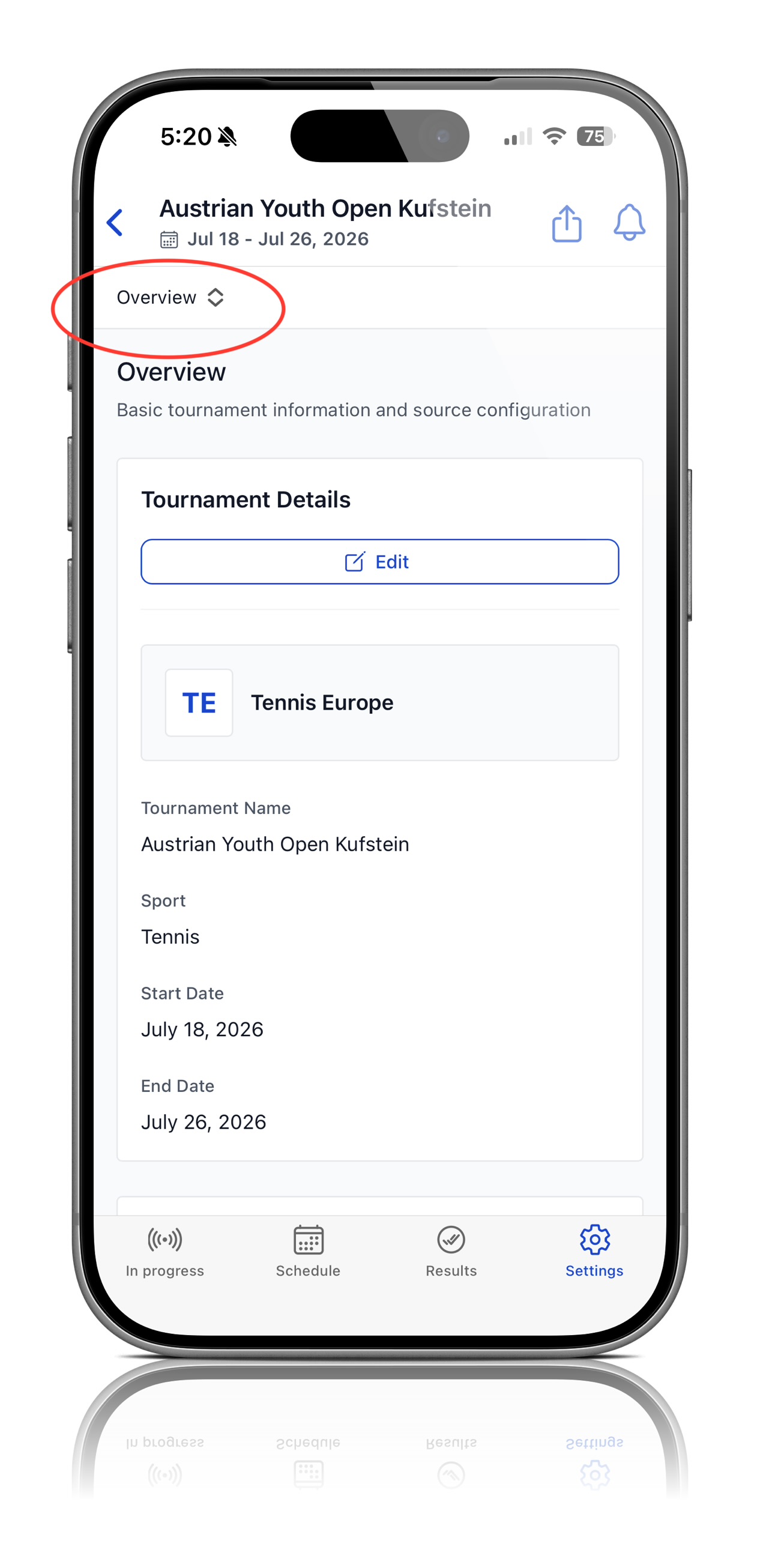
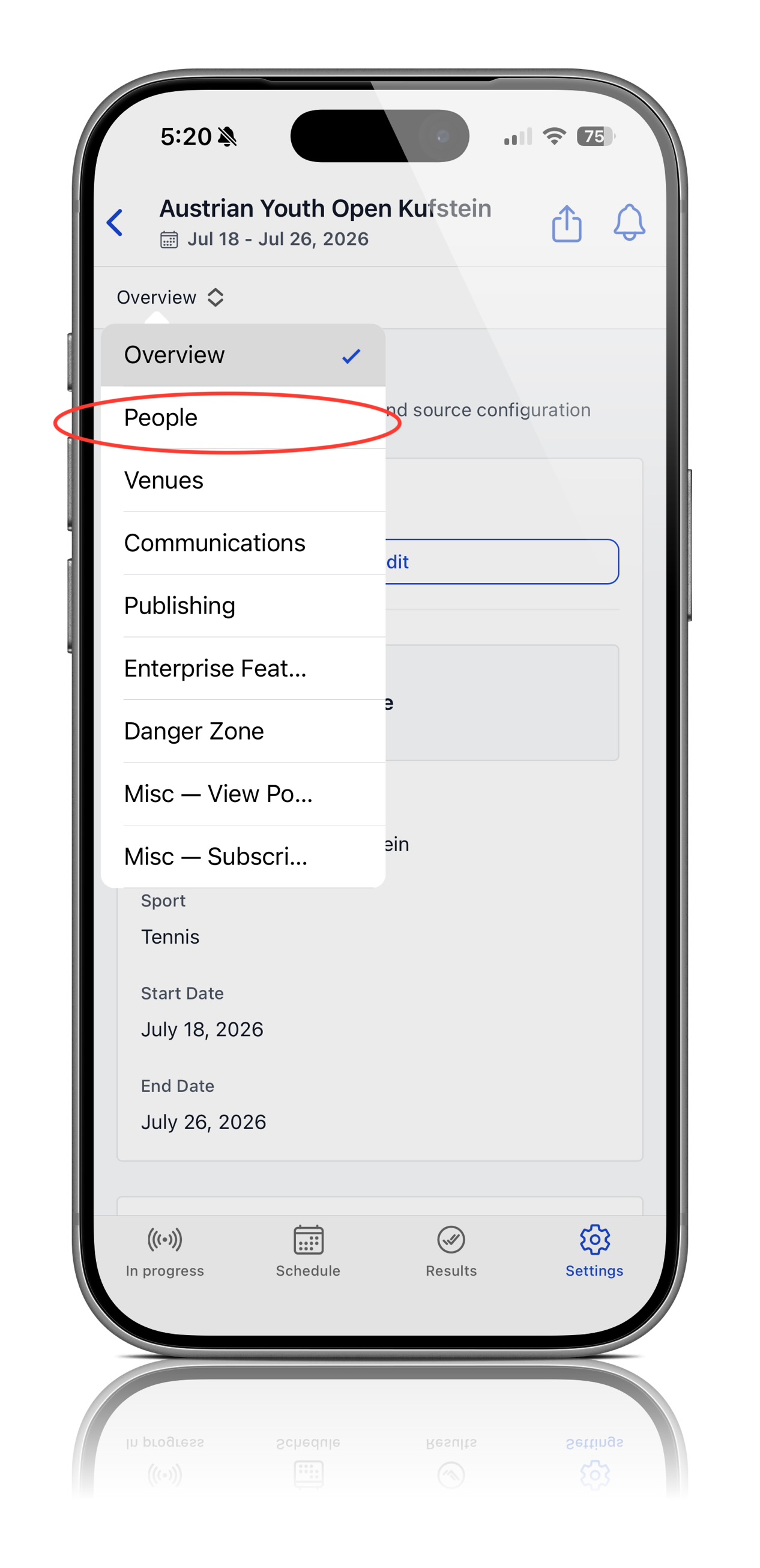
Step 3: Navigate to People
After opening Setting → Click Overview in the top left corner → Open the dropdown menu → Select People
 |  |
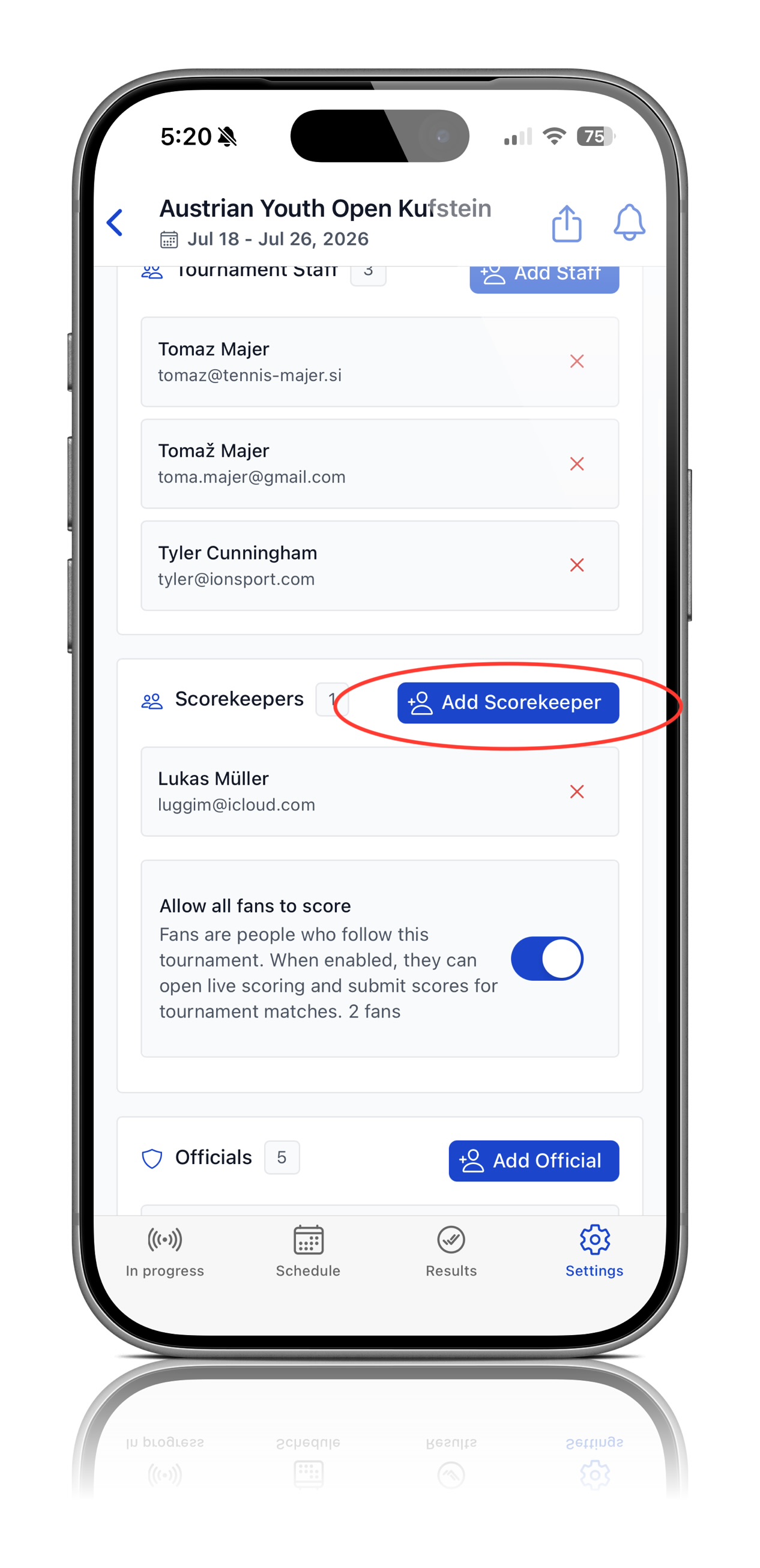
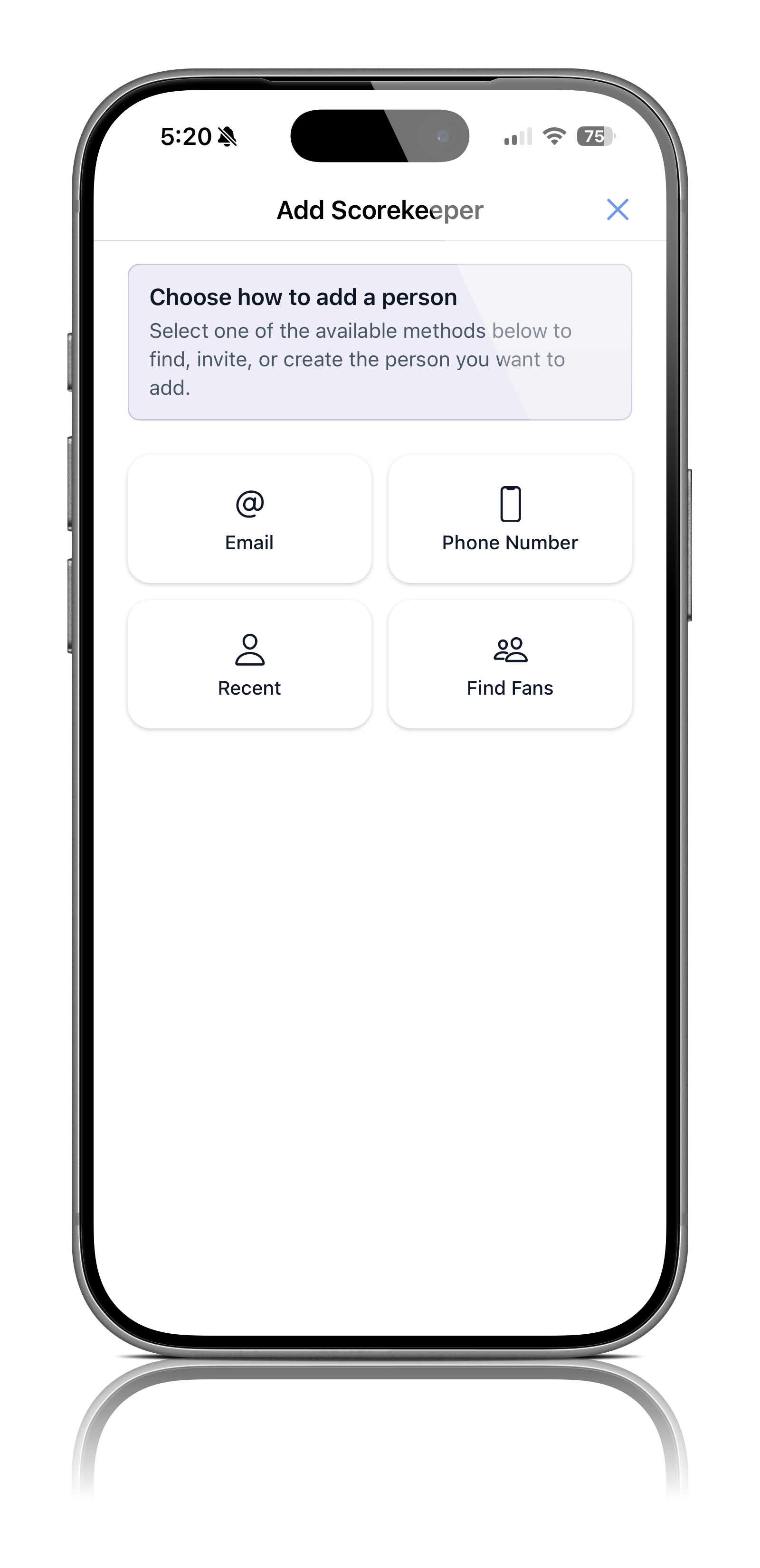
Step 4: Add a Scorekeeper
Within the People section → Select Scorekeepers → Click Add Scorekeeper → Enter the scorekeeper's information → Add the person you would like to assign as a scorekeeper
 |  |
Step 5: Scorekeeper Access
Once added, the scorekeeper will receive an email invitation to access the tournament and set up their IONSport account.The scorekeeper can then follow the IONSport Live Scoring Starter Guide to learn how to score matches:
https://ionsport.freshdesk.com/support/solutions/articles/158000453949-tournament-staff-setup-guide-for-live-scoring
Was this article helpful?
That’s Great!
Thank you for your feedback
Sorry! We couldn't be helpful
Thank you for your feedback
Feedback sent
We appreciate your effort and will try to fix the article