Scorekeepers are responsible for updating the score live during matches. IONSPORT supports events with a wide range of scoring capabilities—from crowd-sourced score updates to professional scoreboard systems. Depending on the needs of your event, we can support scoring in a way that best fits your setup.
Important:
1. To be a scorekeeper the user must have an account in IONSPORT
2. To assign scorekeepers you need to be ether an event owner (for the event) or team staff for the dual match.
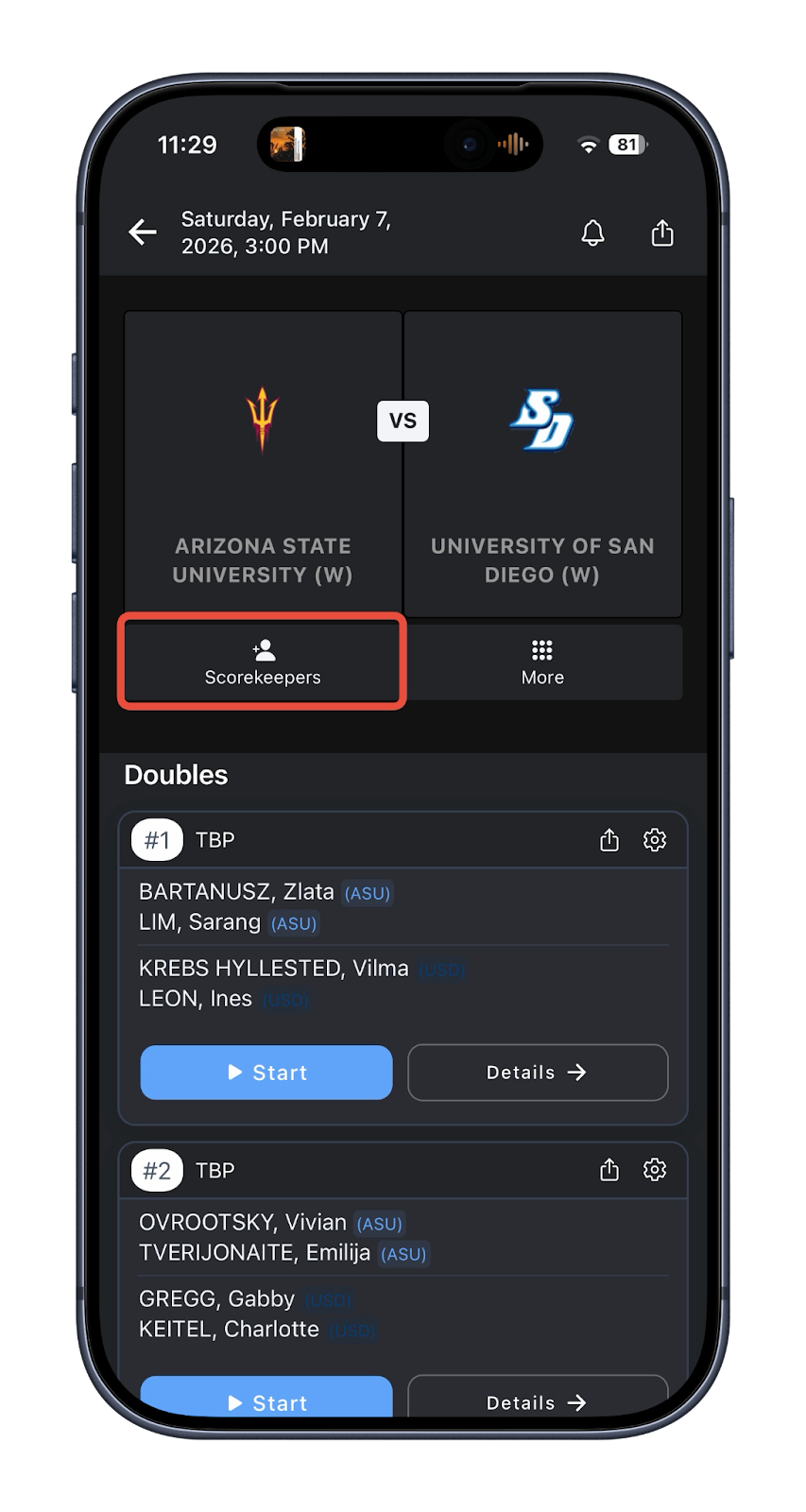
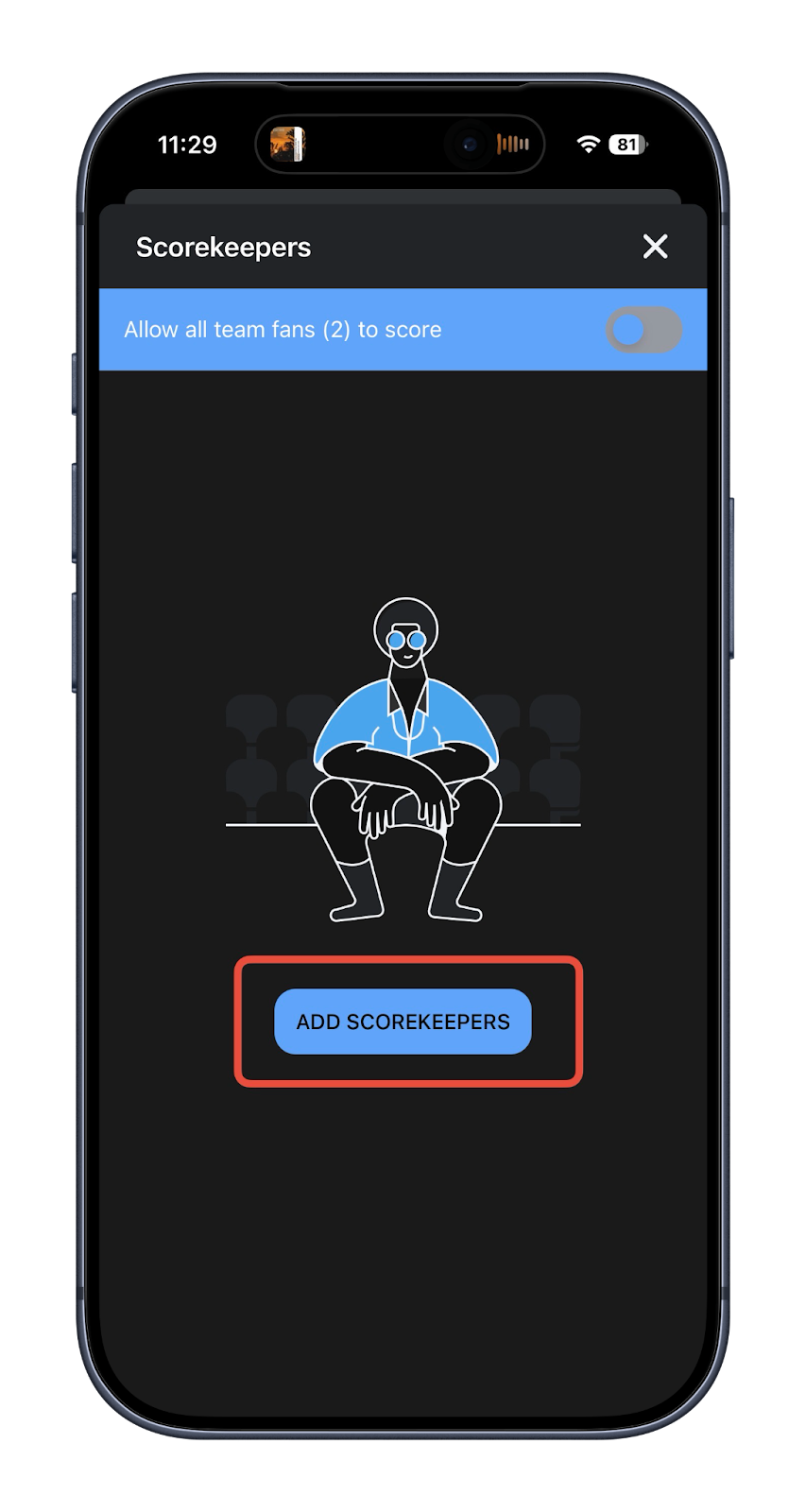
Inside the match, click “+Scorekeepers” icon → “Add Scorekeepers”
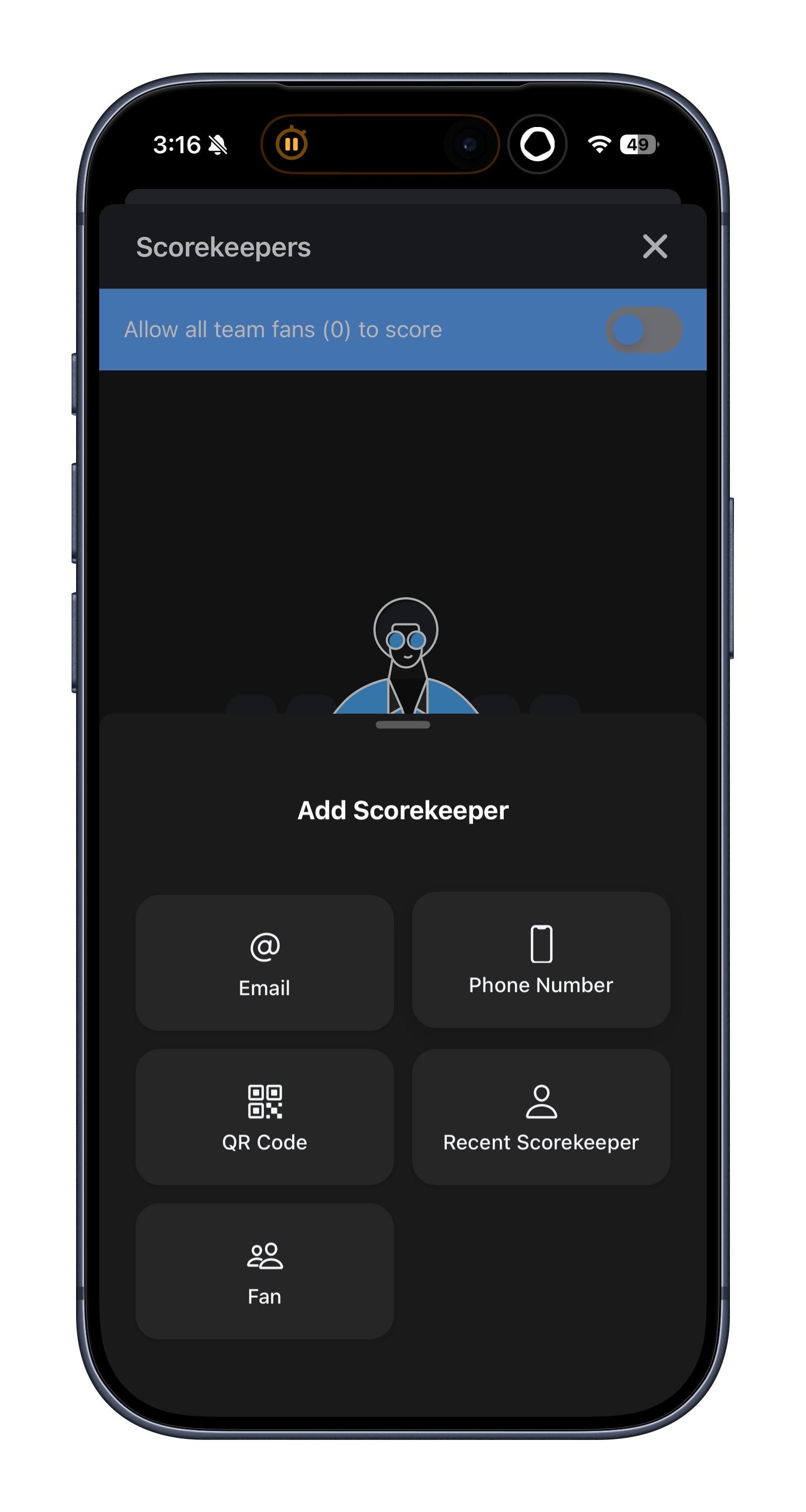
There are multiple ways to assign scorekeepers: - Email address or phone number
- Sharing a QR code to scan
- You can also assign your trusted fans
Scoring Match
Live Scoring Feature is designed to update live from each court, automatically calculate team scores, and make immediate corrections to each court if needed.
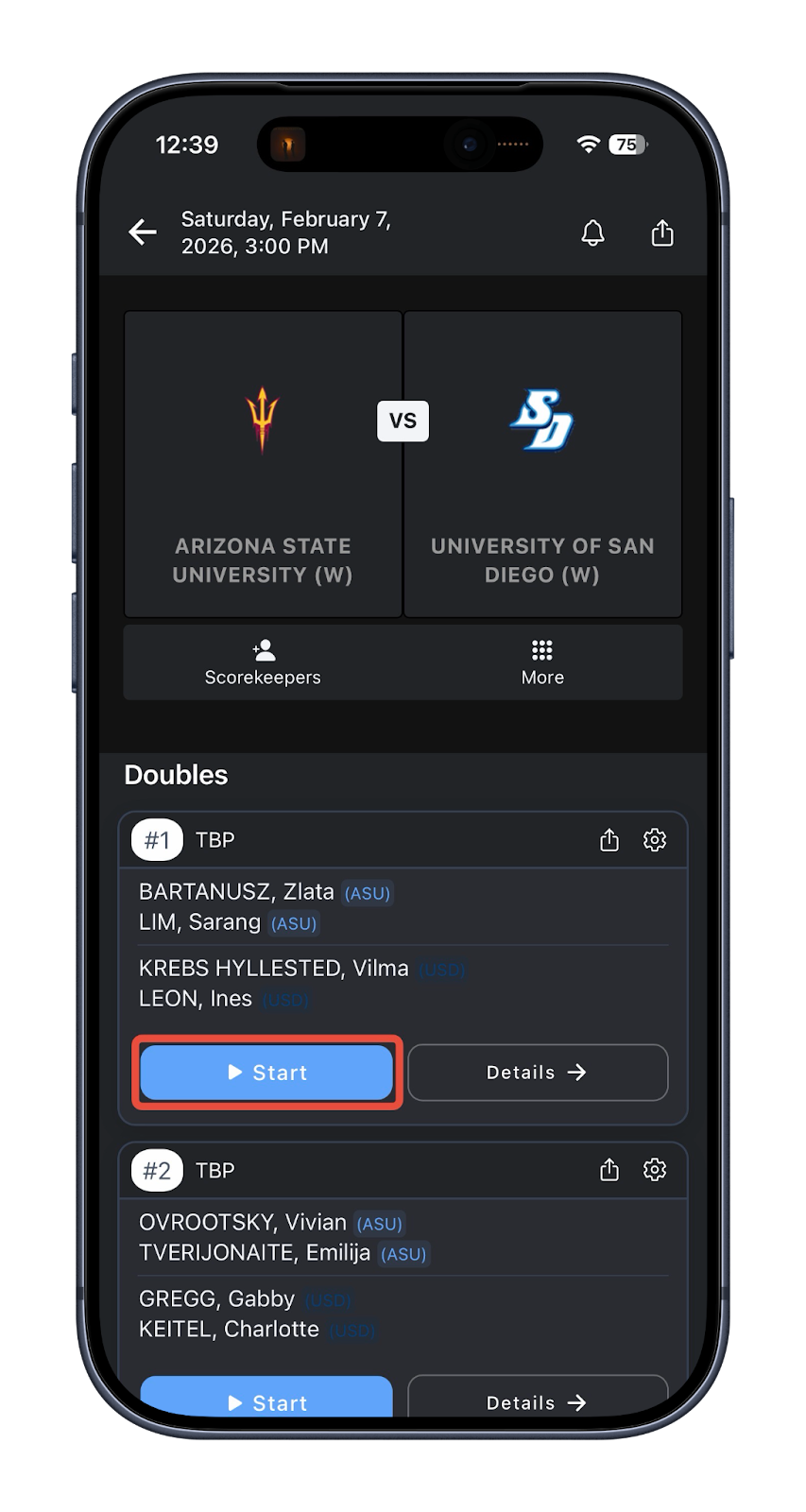
When the scorekeeper ready to start click “Start” button
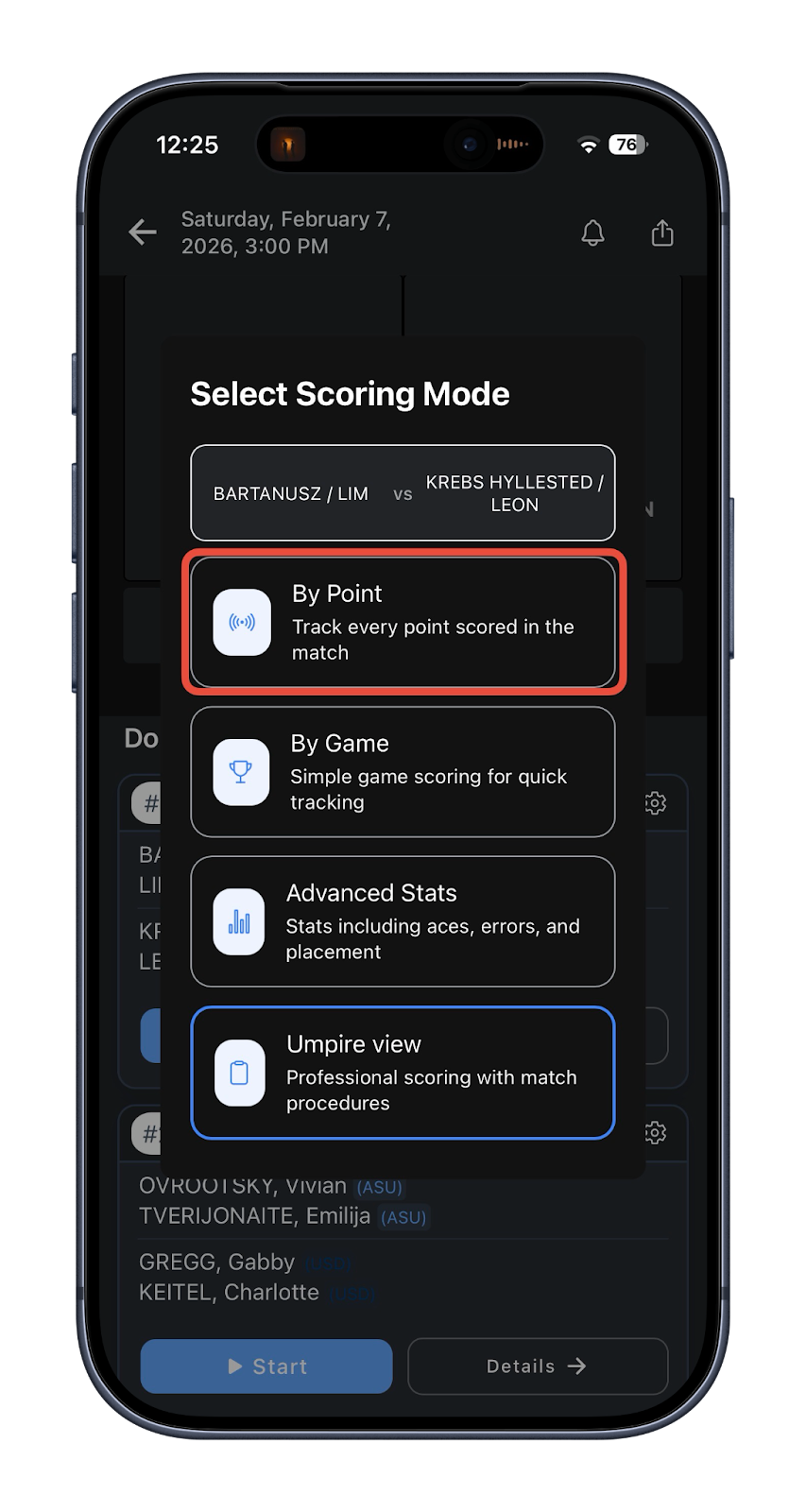
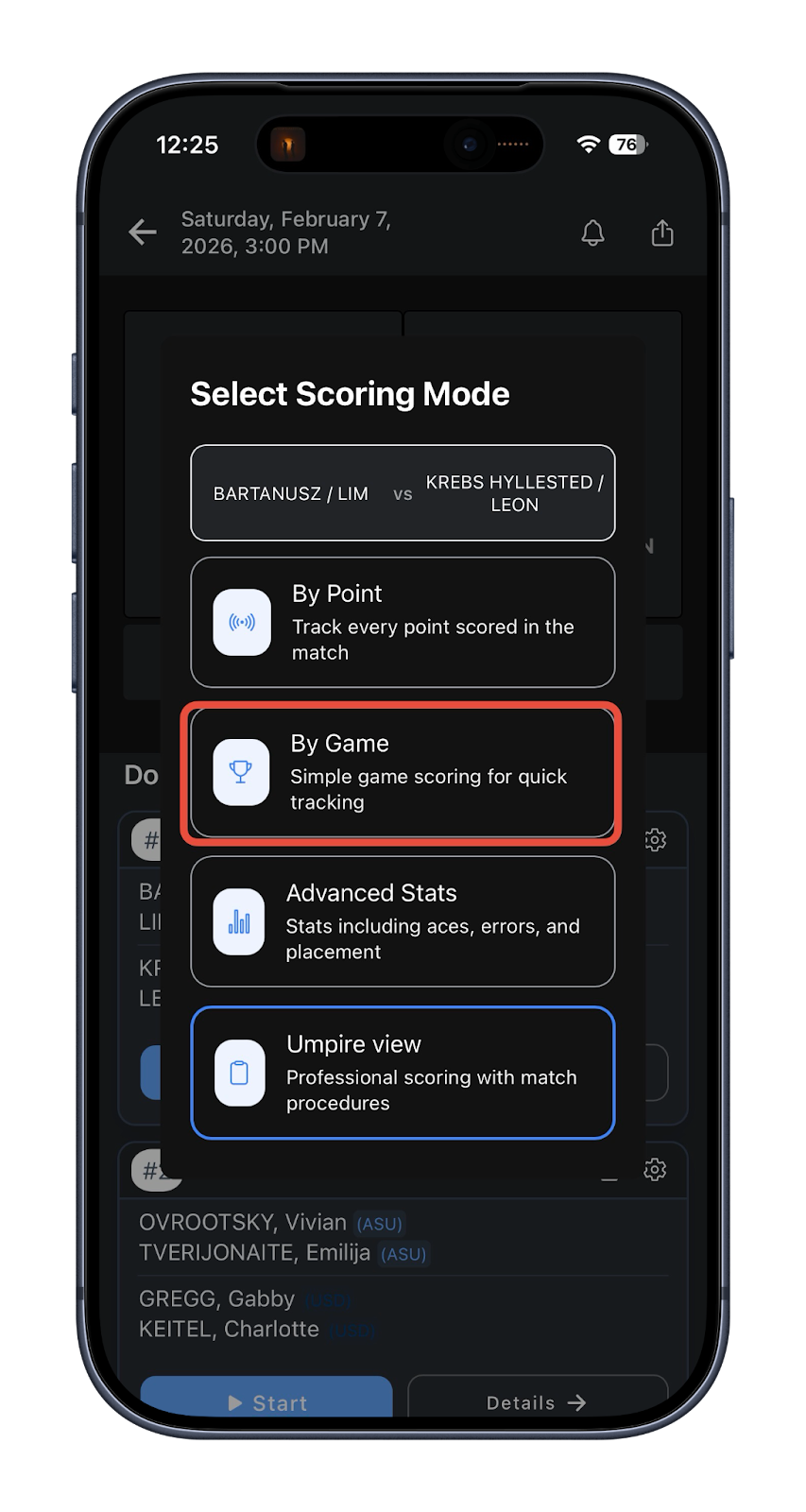
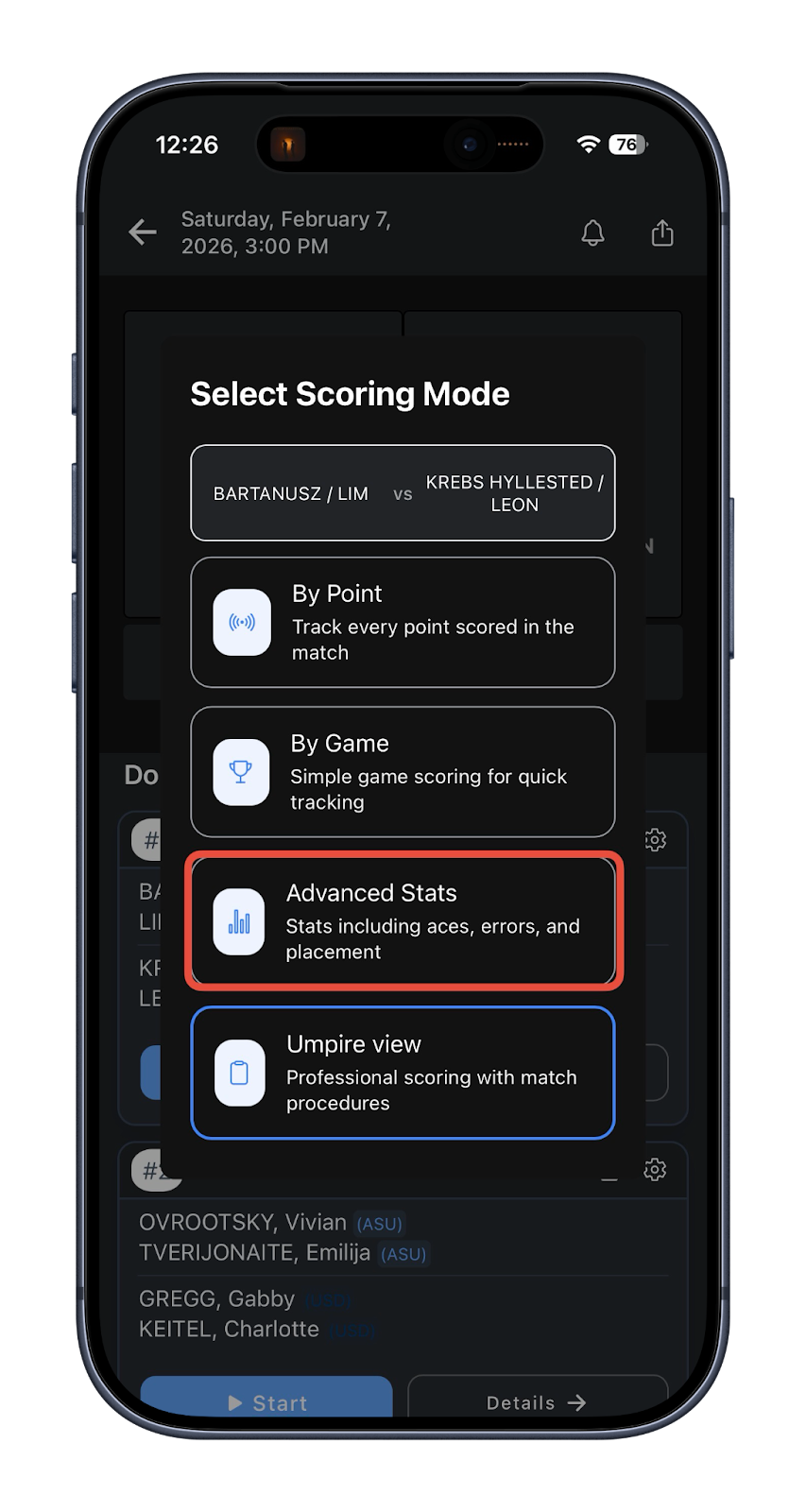
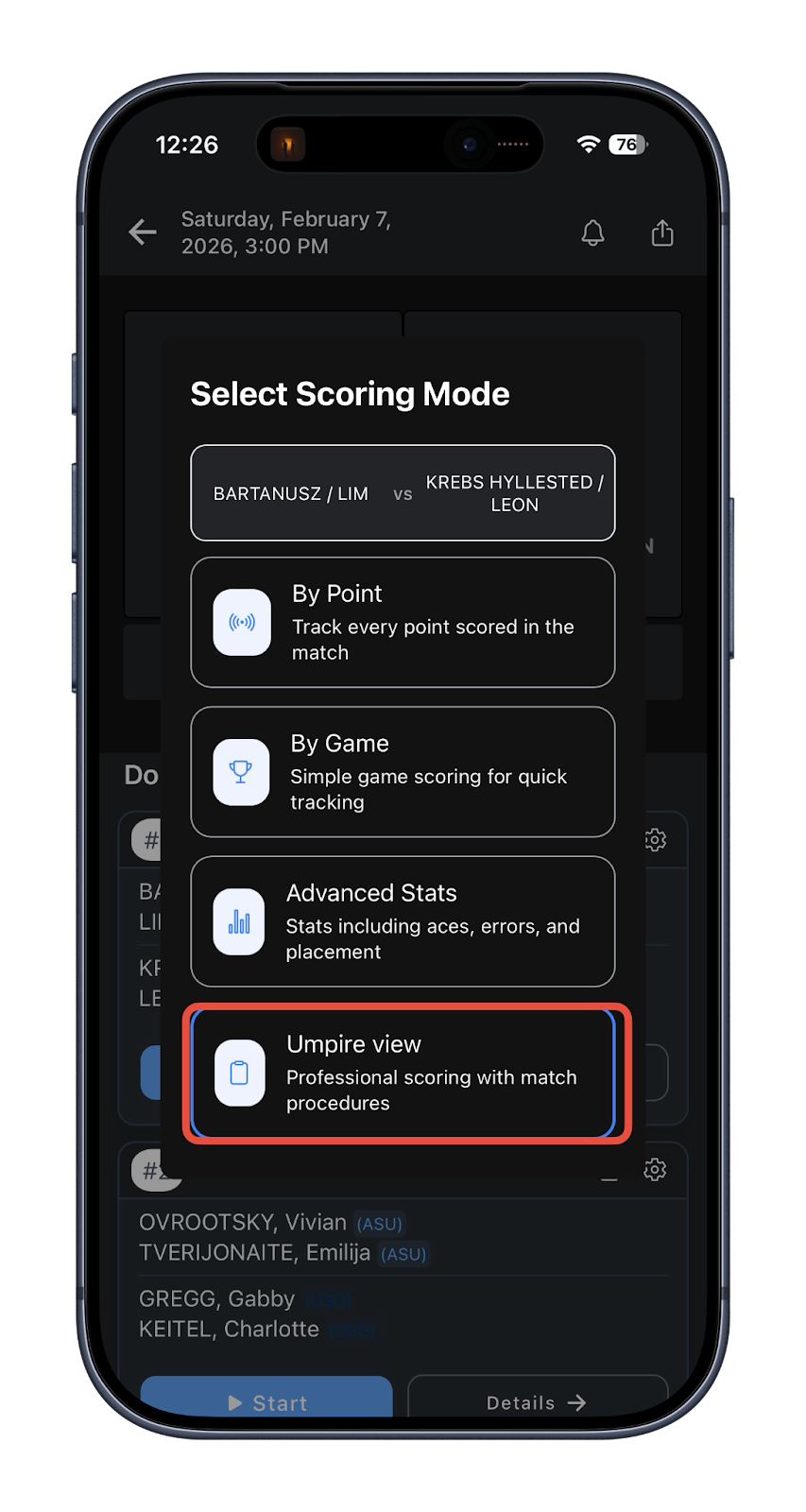
Depending on the number of scorekeepers you can pick different styles of scoring:
By Point tracking allows to track each point
By Game is a simplified scoring that allows you score games only
Advanced Stats allows you to track advanced metrics like first/second serve, double fault, return made, ace, etc.
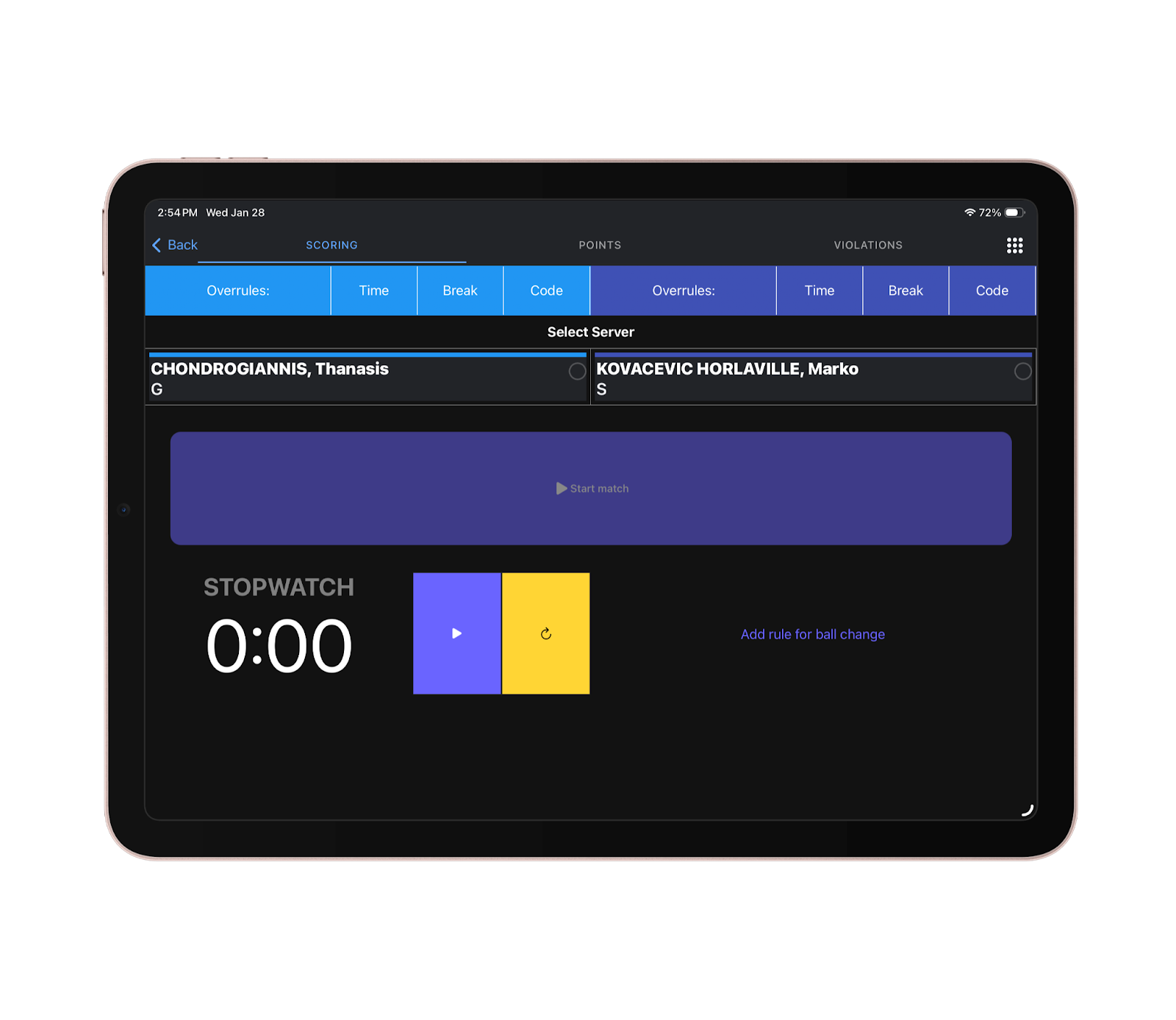
Umpire View
Important: umpire view is recommended to be used from the tablet.
Umpire View is a professional scoring tool that allows you to track violation, time between the points and ball change.
Was this article helpful?
That’s Great!
Thank you for your feedback
Sorry! We couldn't be helpful
Thank you for your feedback
Feedback sent
We appreciate your effort and will try to fix the article