Step 1: Request Live Scoring
Email marketing@tenniseurope.org with the date of your tournament and request Live Scoring access.
Step 2: Receive Your Invitation
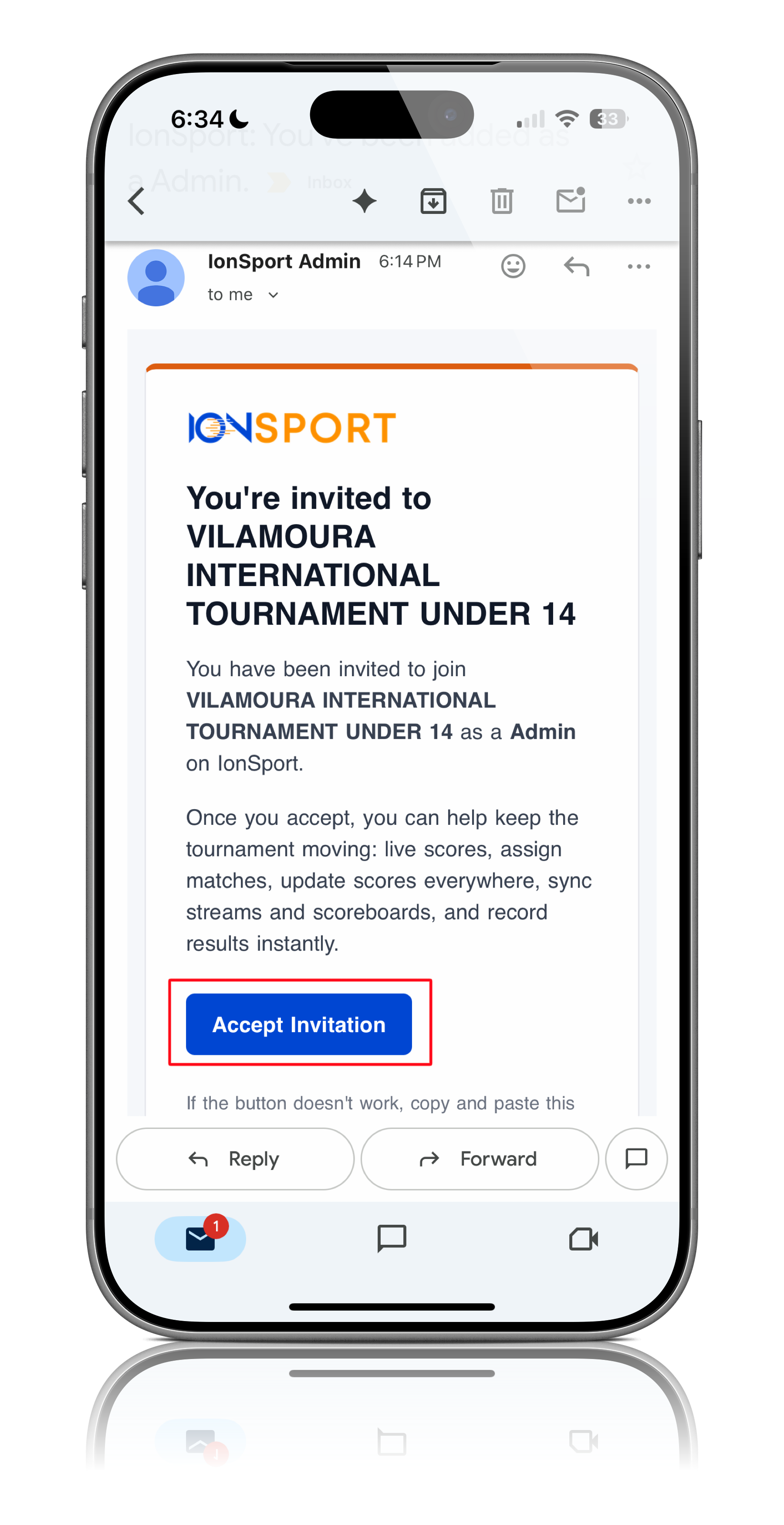
Once Tennis Europe has approved your request, you will receive an email invitation to access your tournament in IONSport.
Step 3: Create Your IONSport Account
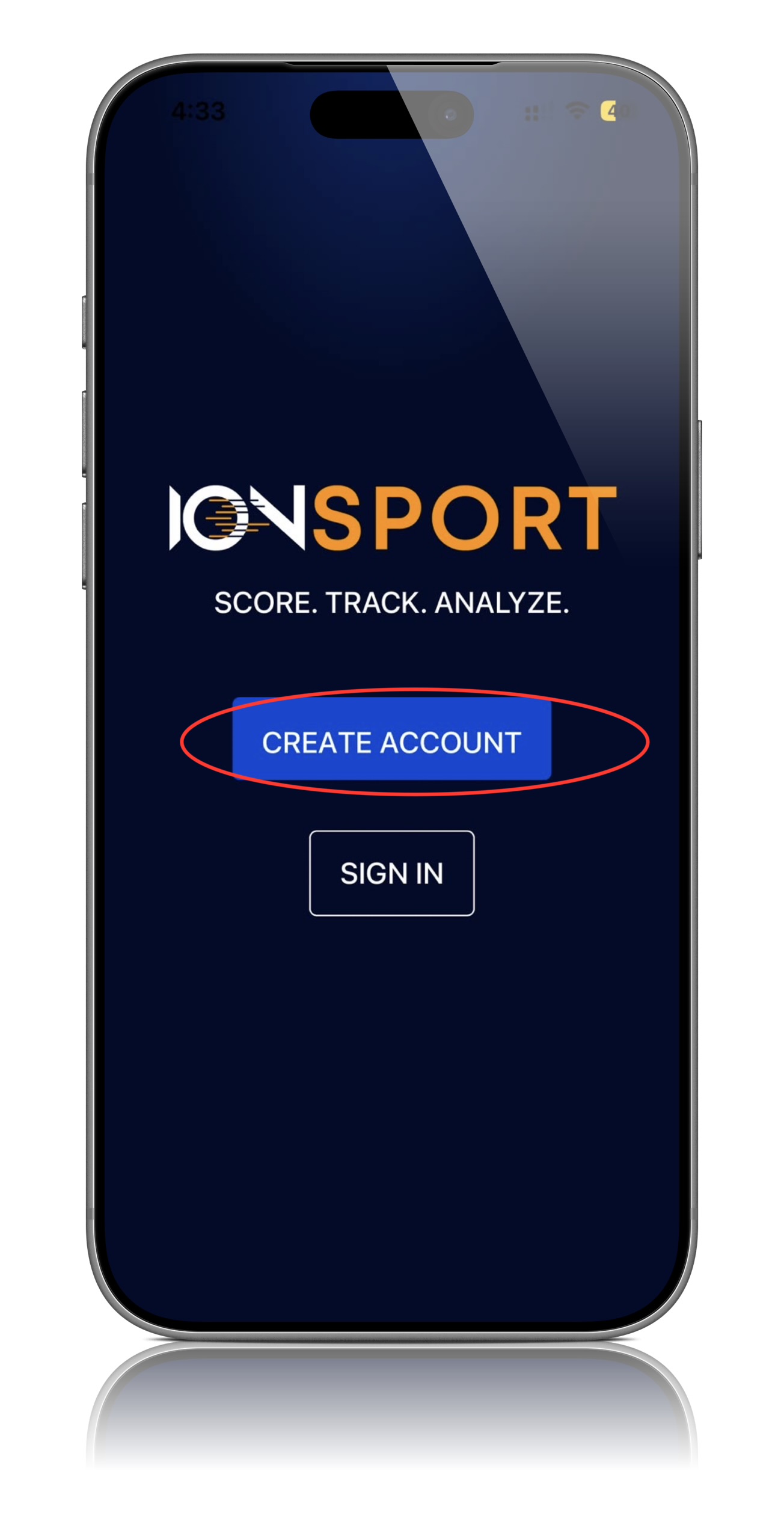
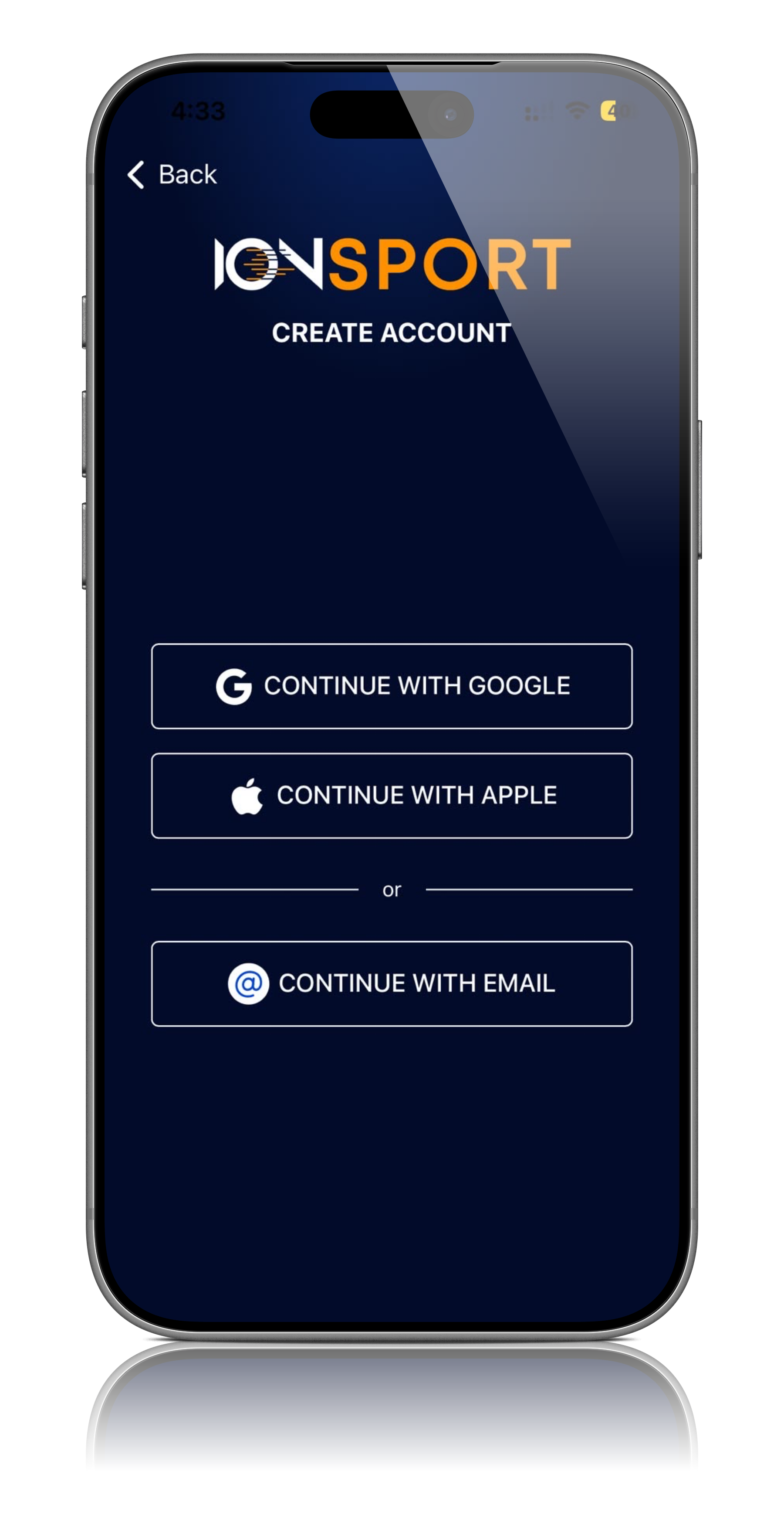
Click the link in the invitation email and create your IONSport account.
 |  |
Step 4: Access Your Tournament
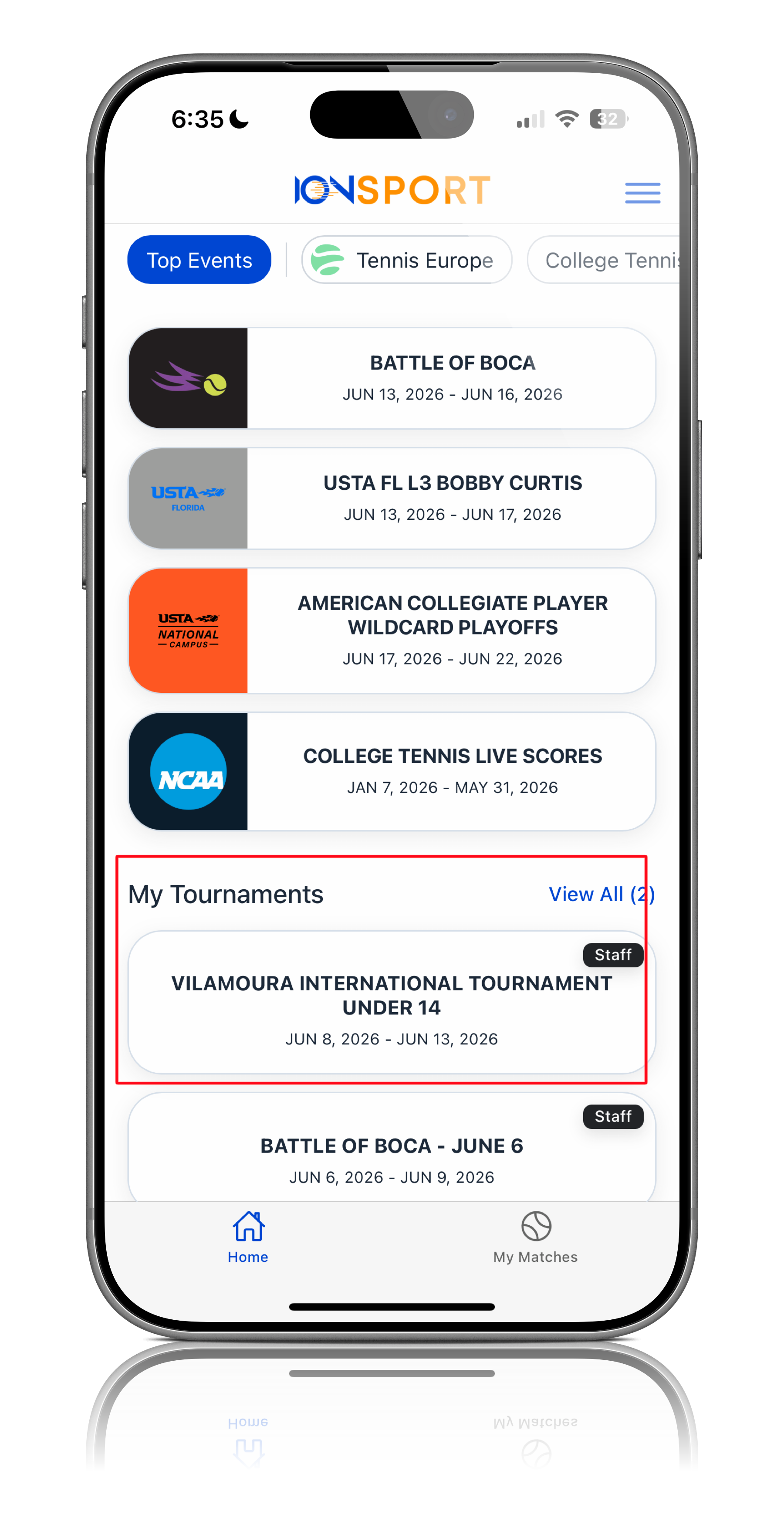
After creating your account, you will automatically be directed to your tournament dashboard.
Your tournament will also appear on your IONSport home page whenever you log in.
Step 5: Add Your Scorekeepers
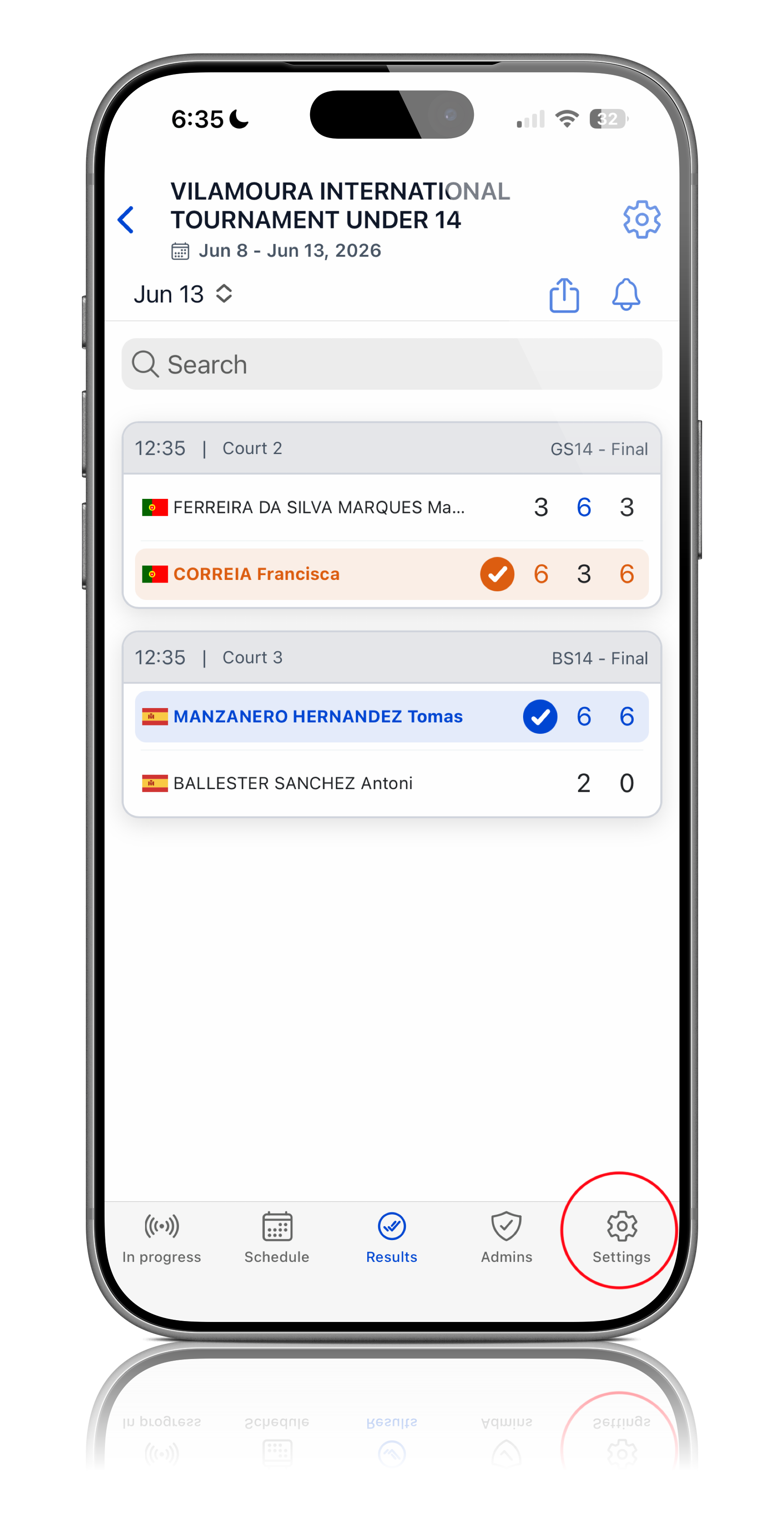
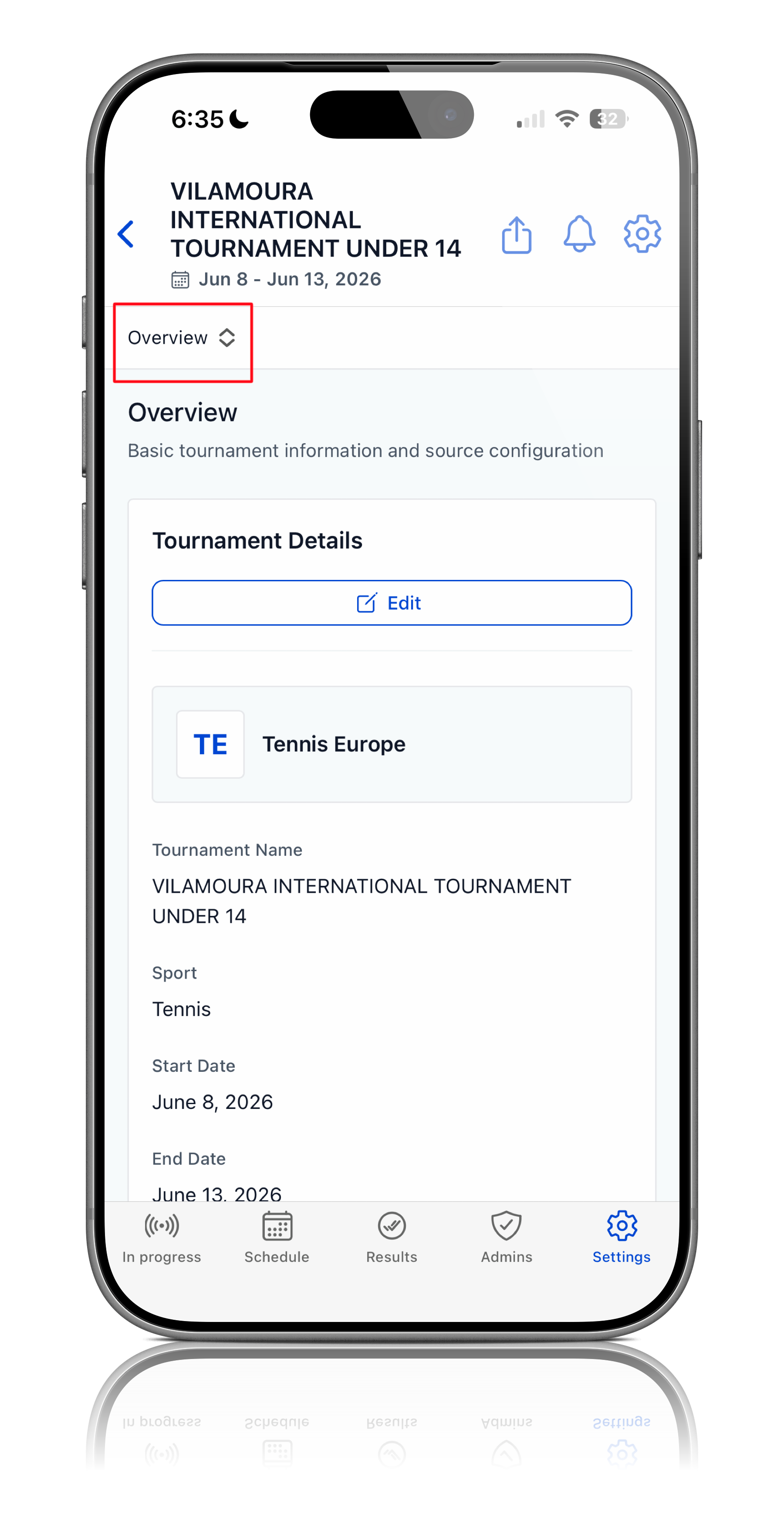
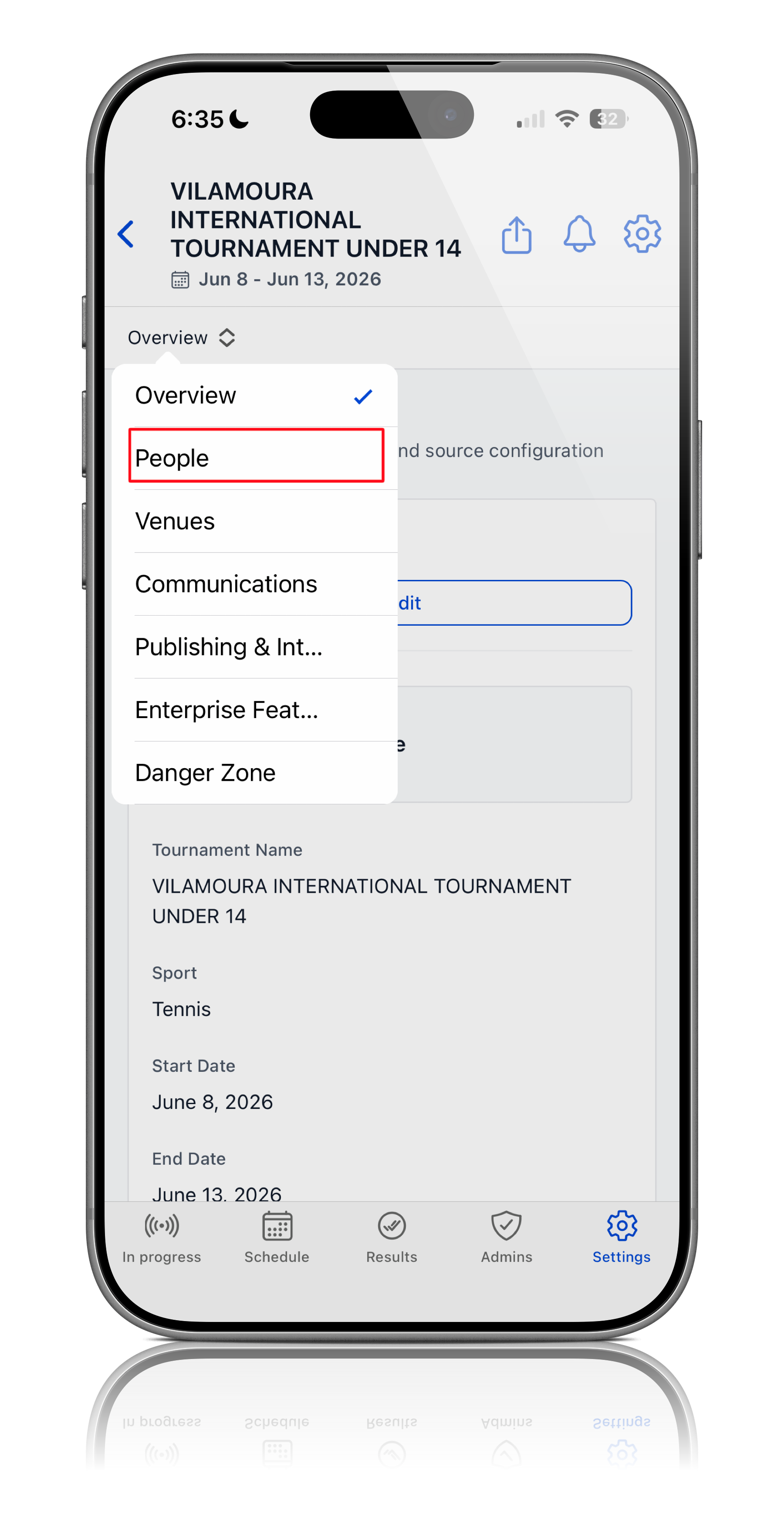
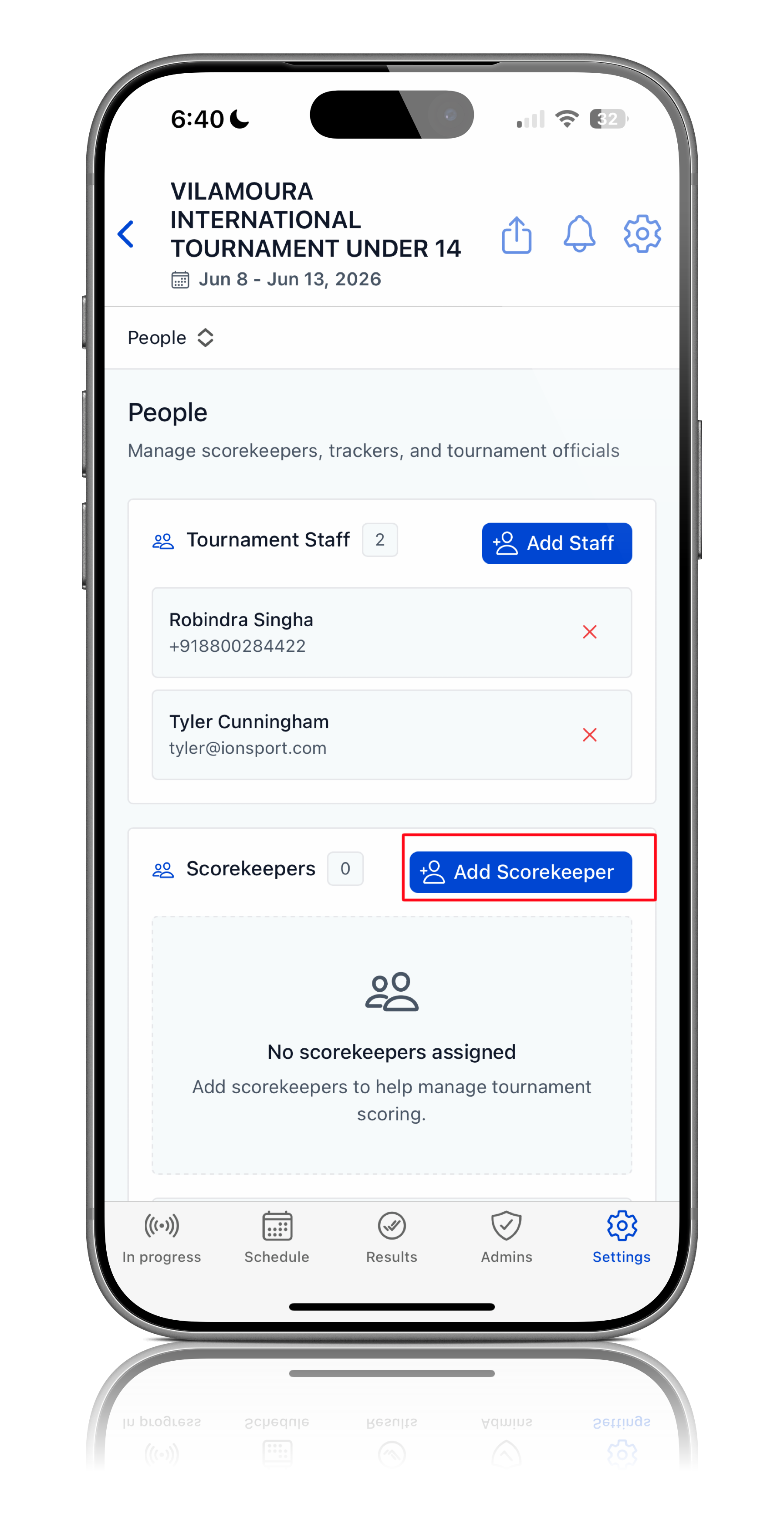
Navigate to:
Tournament → Settings → People → Scorekeepers → Add People
Add the officials who will be responsible for live scoring matches during your event.
 |  |  |  |
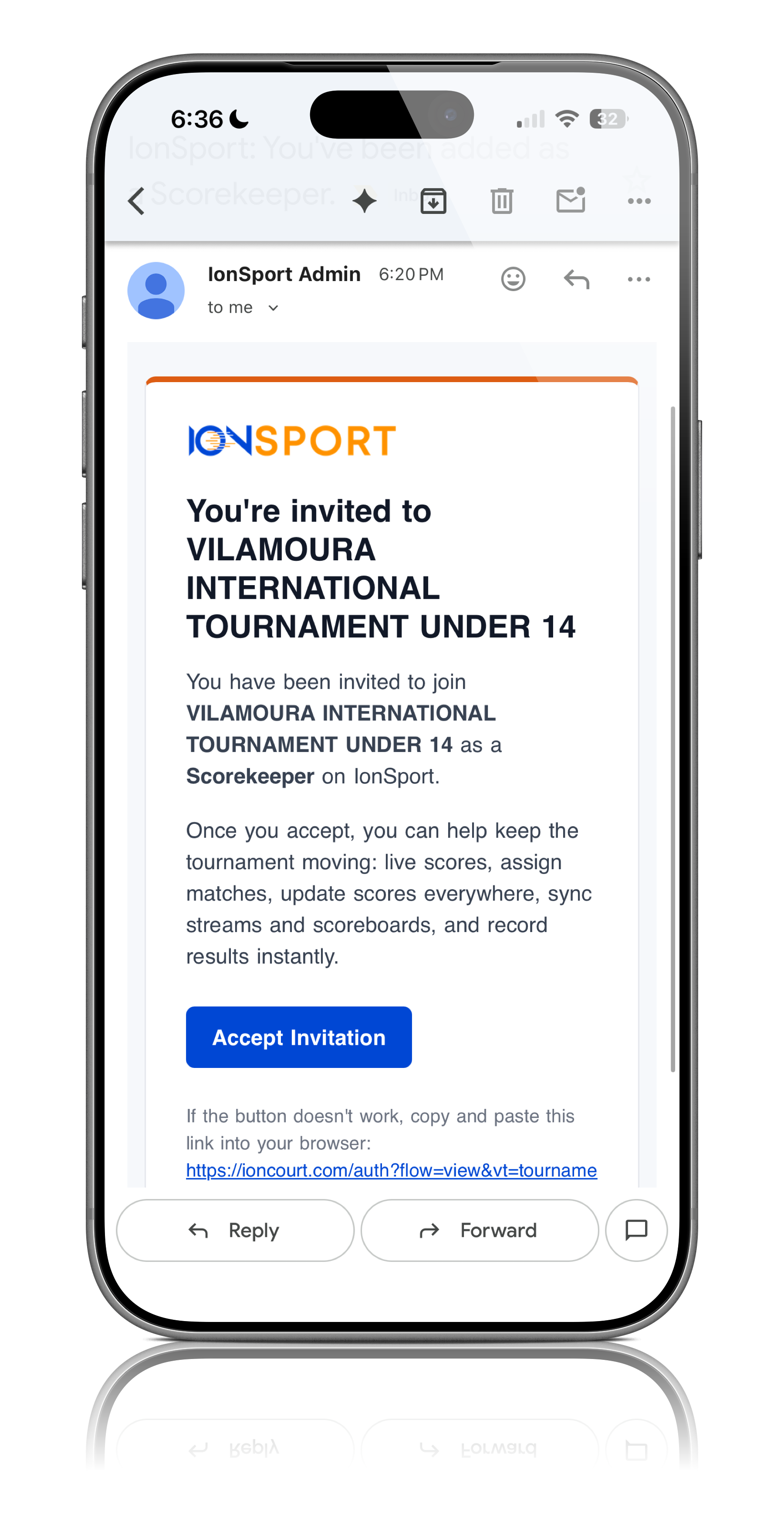
Step 6: Scorekeepers Receive Email Access
Once added, each scorekeeper will automatically receive an email invitation.
This email includes a link to create their IONSport account or log in if they already have one.
After completing setup, they will be granted access to the tournament and assigned matches for live scoring.
7. How Scorekeepers Score Matches
Score keepers can follow this step-by-step guide to learn how to score matches in IONSport: https://ionsport.freshdesk.com/support/solutions/articles/158000453989-live-scoring-starting-guide/preview
Step 7: Live Score Key Matches
Once the semifinals and finals are scheduled, your designated scorekeepers will be able to score those matches live through IONSport.
Was this article helpful?
That’s Great!
Thank you for your feedback
Sorry! We couldn't be helpful
Thank you for your feedback
Feedback sent
We appreciate your effort and will try to fix the article