Step 1
Navigate to the match you would like to display on the scoreboard.
Step 2
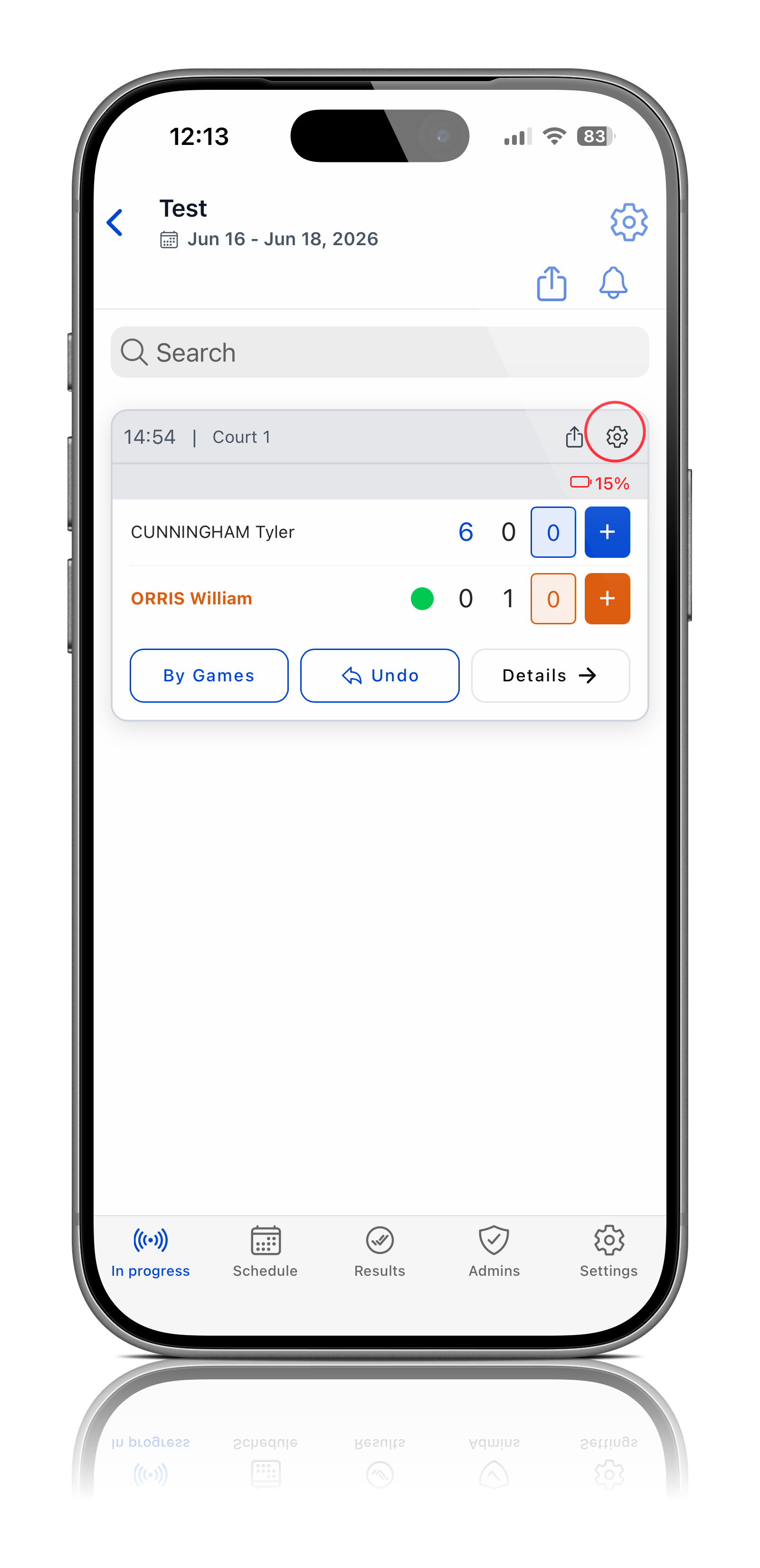
Open the match details.
Step 3
Click Settings.
Step 4
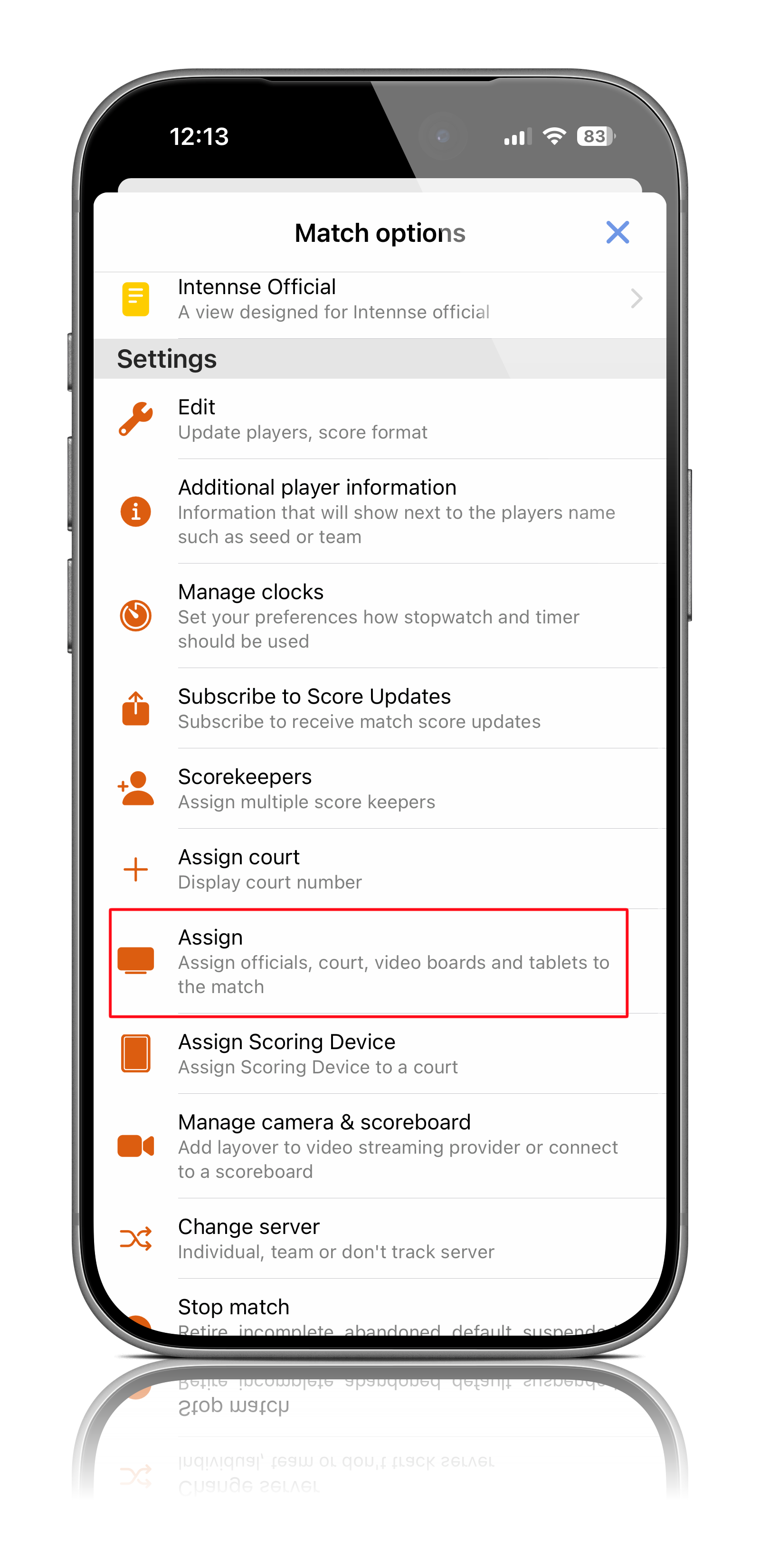
Select Assign.
Step 5
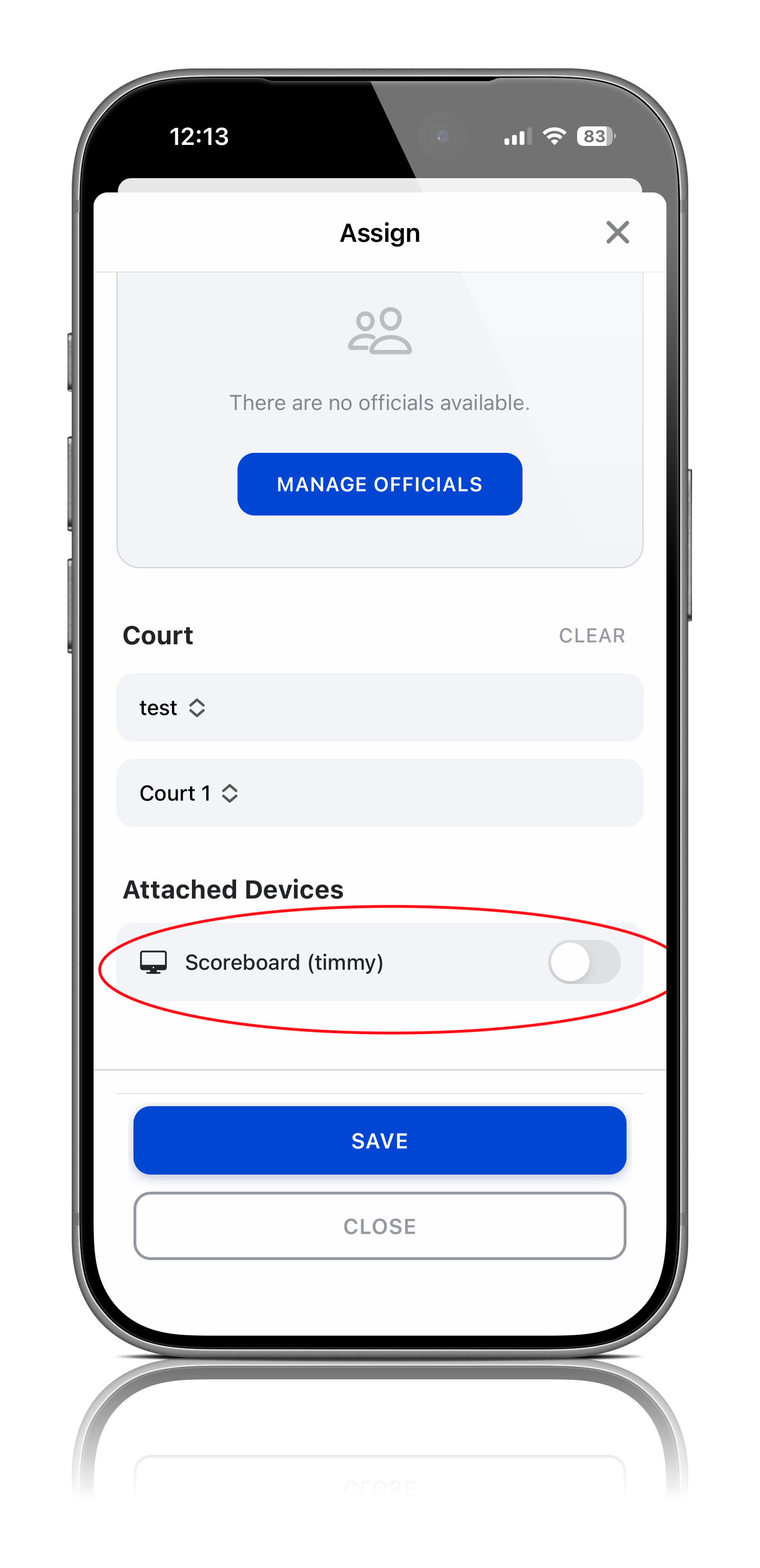
Assign the appropriate court to the match if it has not already been assigned.
Step 6
Scroll to the bottom of the page.
Step 7
Locate the connected Smart TV or scoreboard device.
Step 8
Select the device you would like to attach to the match.
Step 9
Click Save.
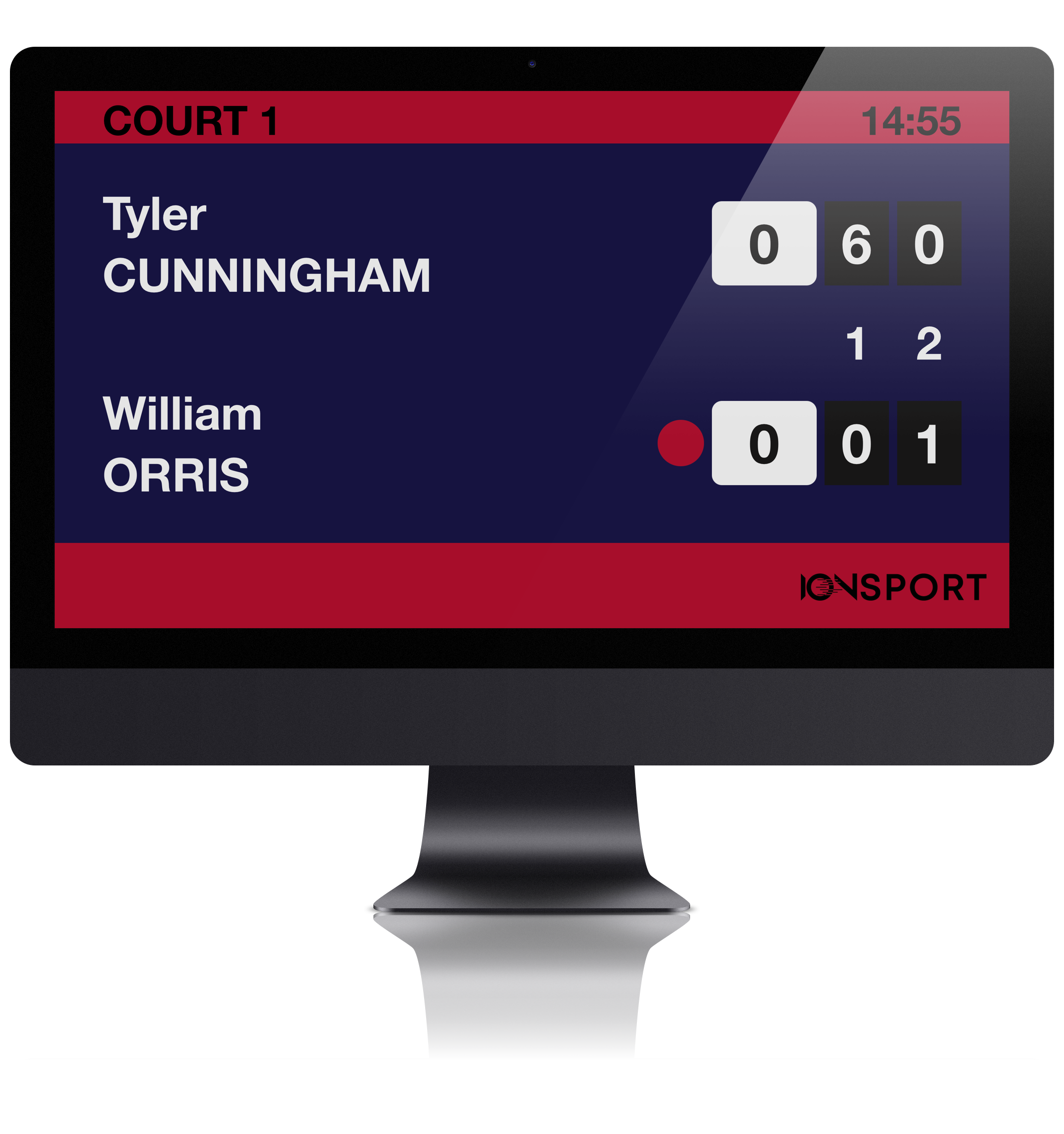
The match will now appear on the scoreboard and update automatically as scores are entered.
Was this article helpful?
That’s Great!
Thank you for your feedback
Sorry! We couldn't be helpful
Thank you for your feedback
Feedback sent
We appreciate your effort and will try to fix the article