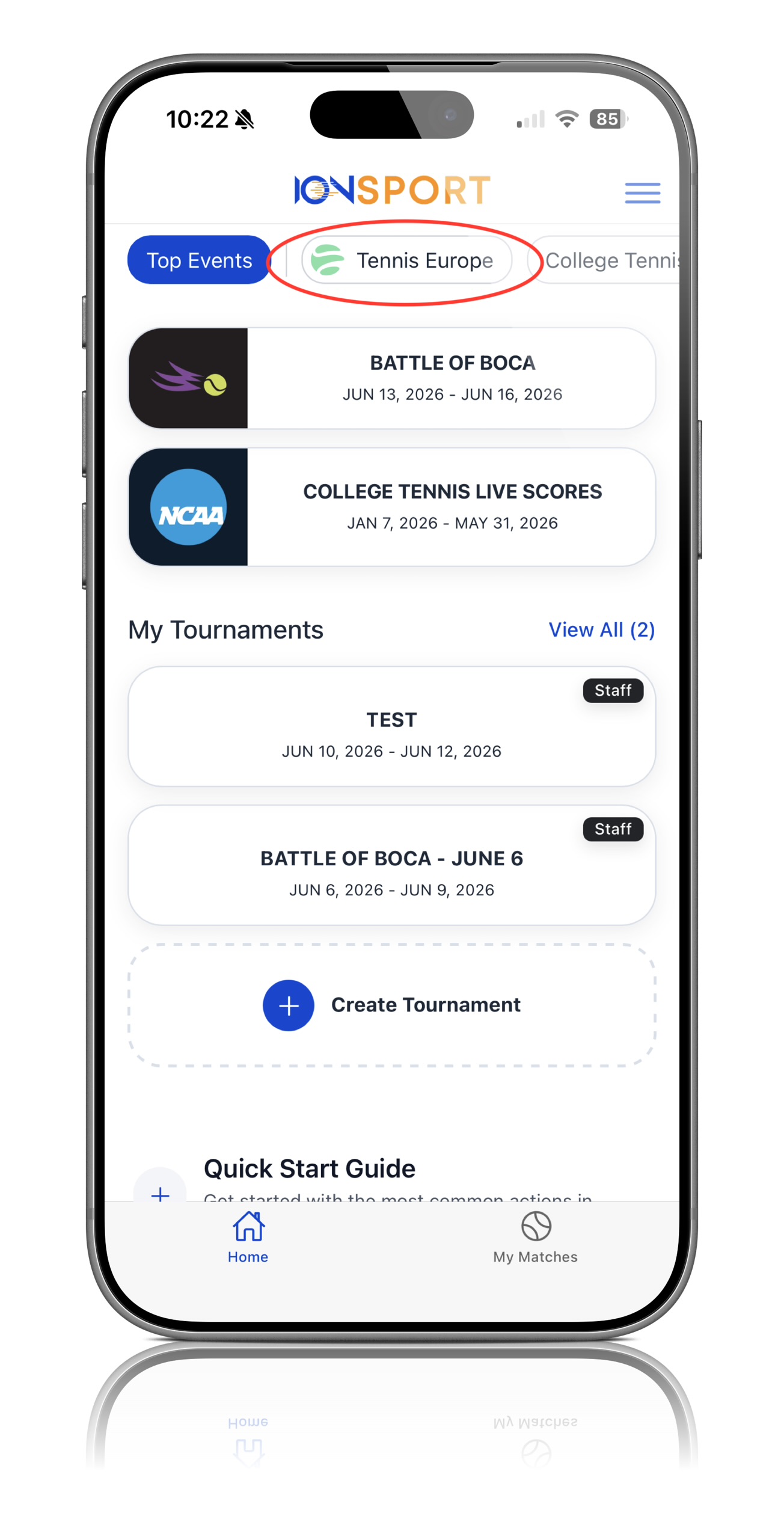
Step 1: Open the Tennis Europe Tab
Navigate to the Tennis Europe tab within the application
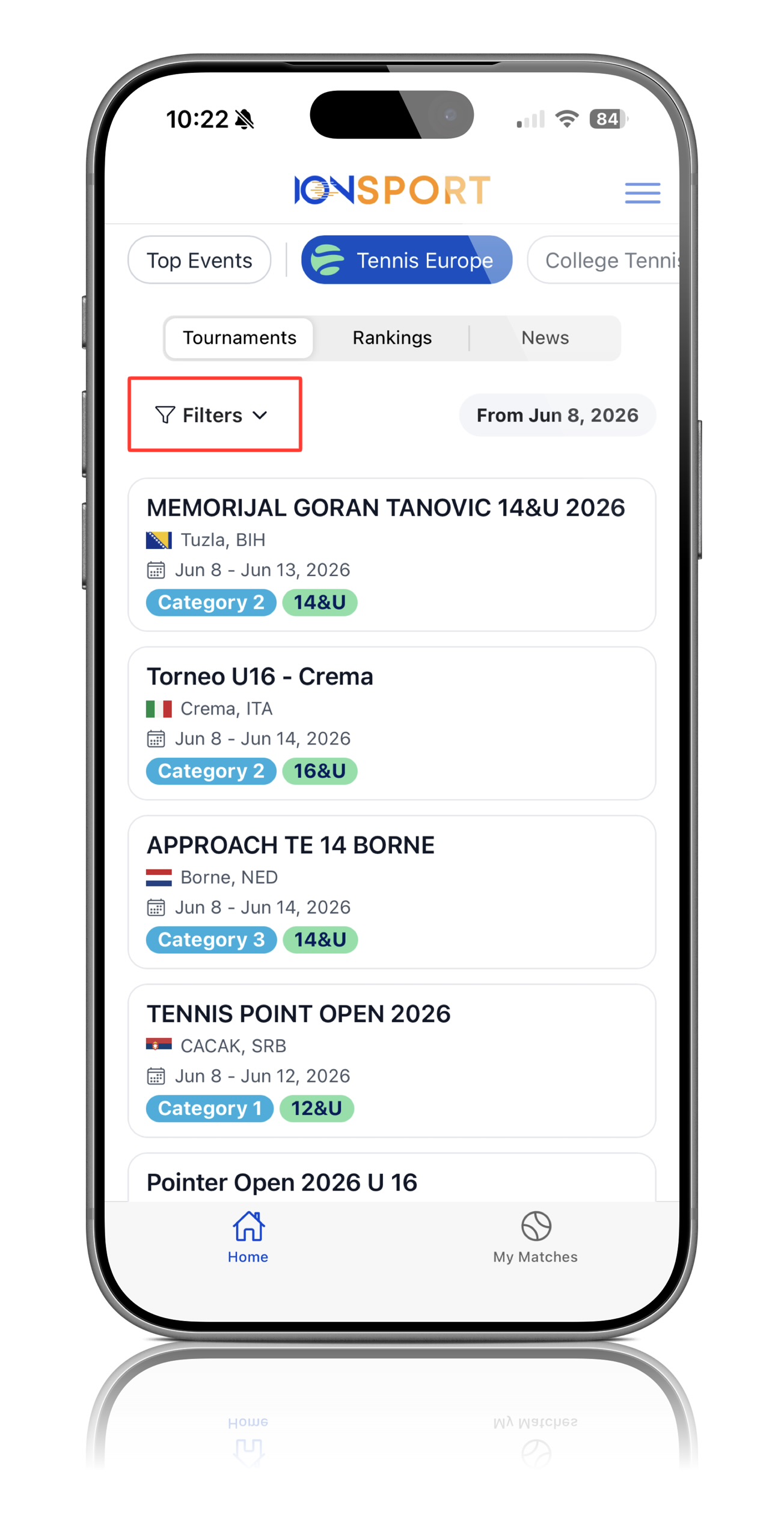
Step 2: Select Filter
On the Tennis Europe page, click Filter to open the tournament search options
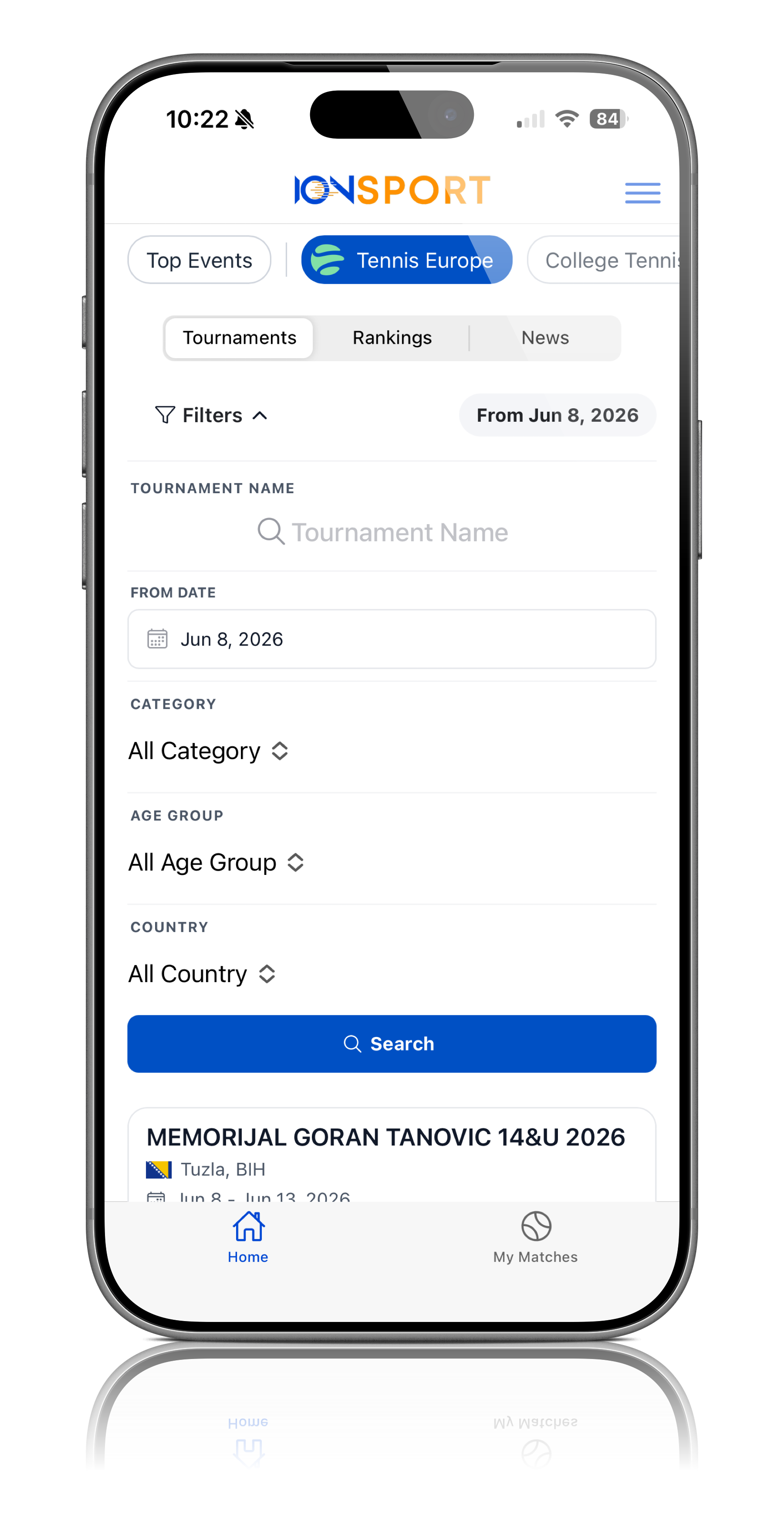
Step 3: Choose a Search Method
Within the filter menu, you can search for tournaments using one or more of the following criteria: Tournament Name, Tournament Date, Category, Age Group, Country
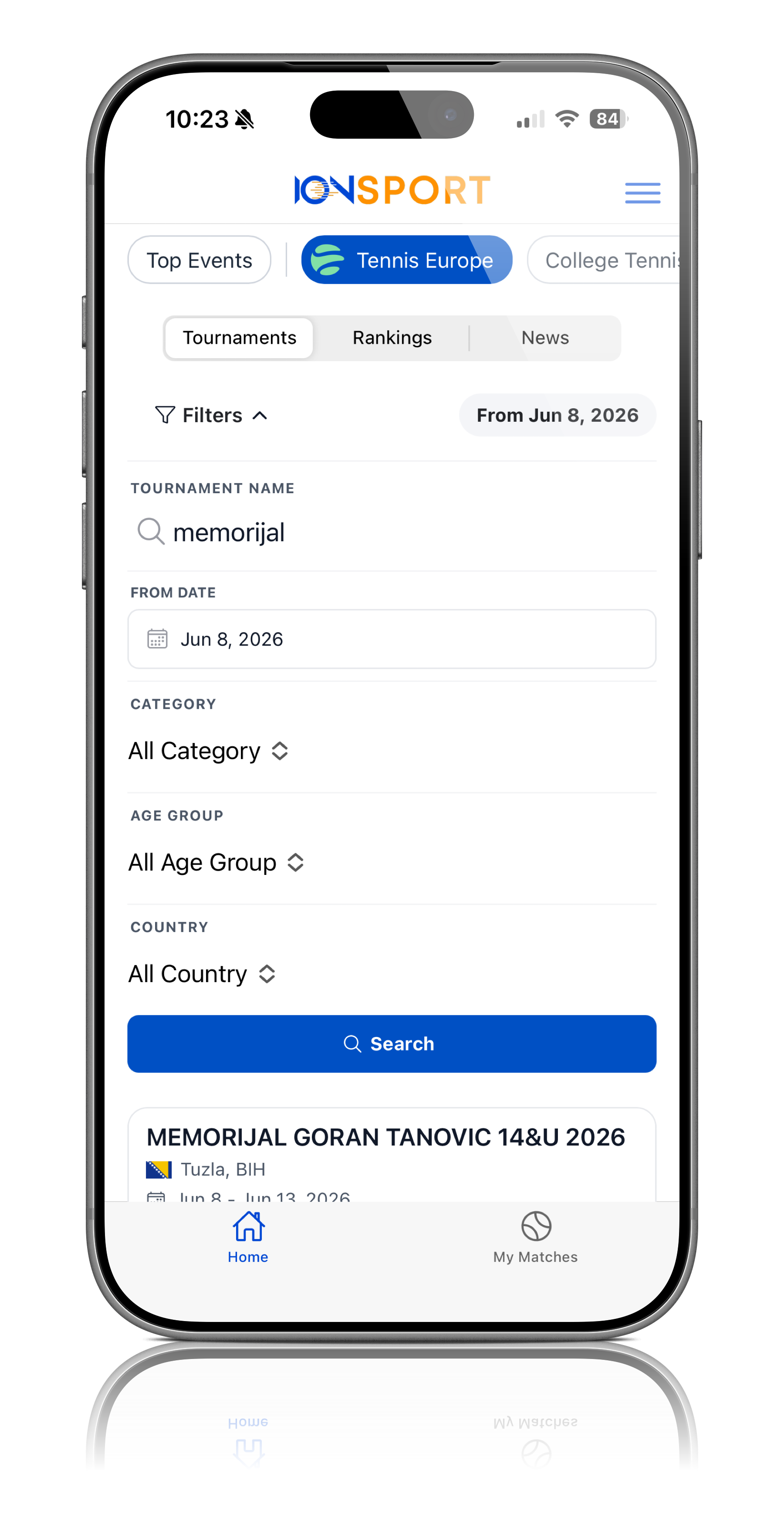
Step 4: Enter Your Search Criteria
Select the desired filter option(s) and enter the relevant information to narrow your search results
Step 5: View Search Results
After applying your filters, the matching tournaments will be displayed. Select the appropriate tournament from the results list
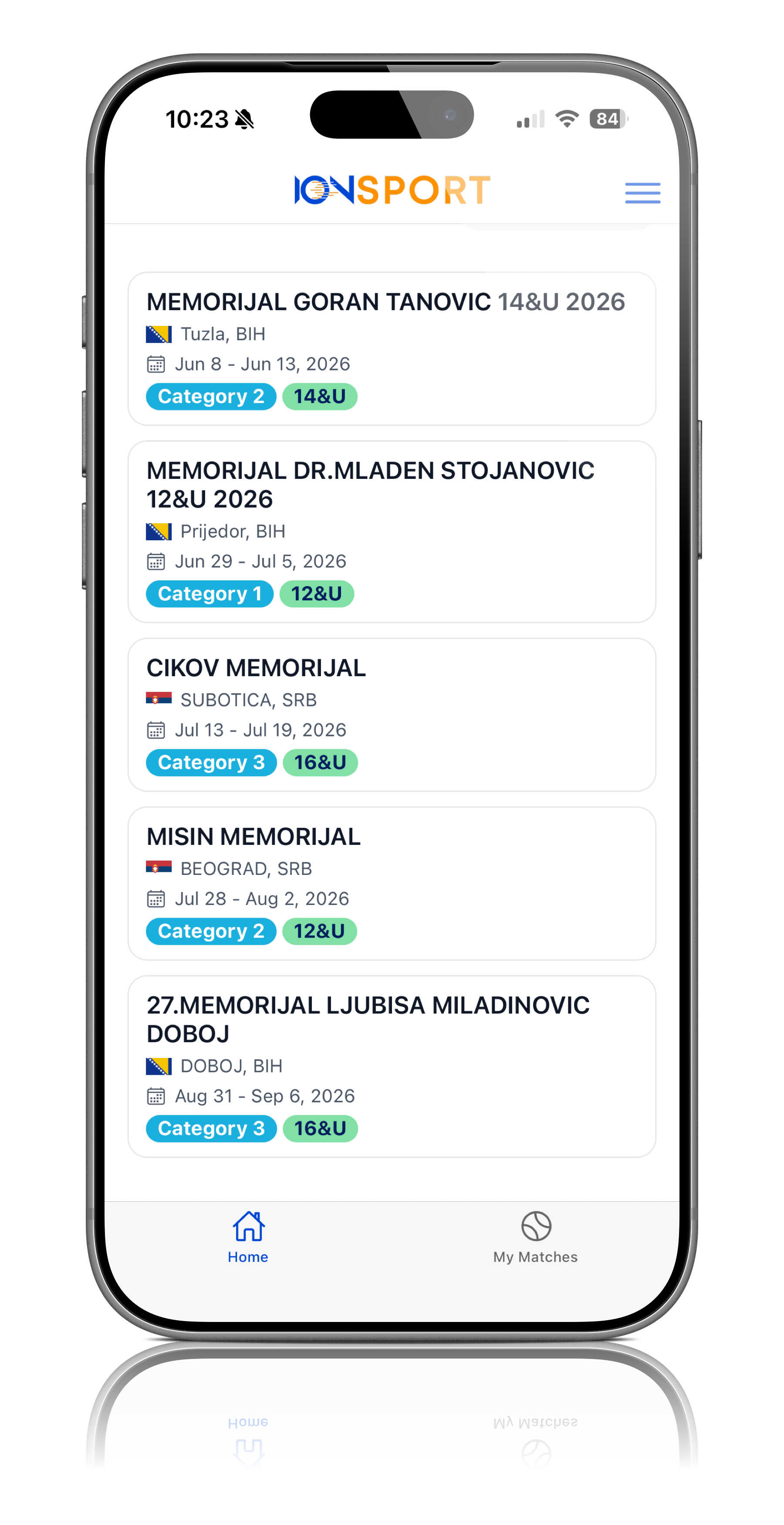
Step 6: Access the Tournament
Click on the tournament to view tournament information, matches, schedules, and administrative options
Note: Using multiple filter options at the same time can help narrow results and make it easier to locate a specific tournament.
Was this article helpful?
That’s Great!
Thank you for your feedback
Sorry! We couldn't be helpful
Thank you for your feedback
Feedback sent
We appreciate your effort and will try to fix the article